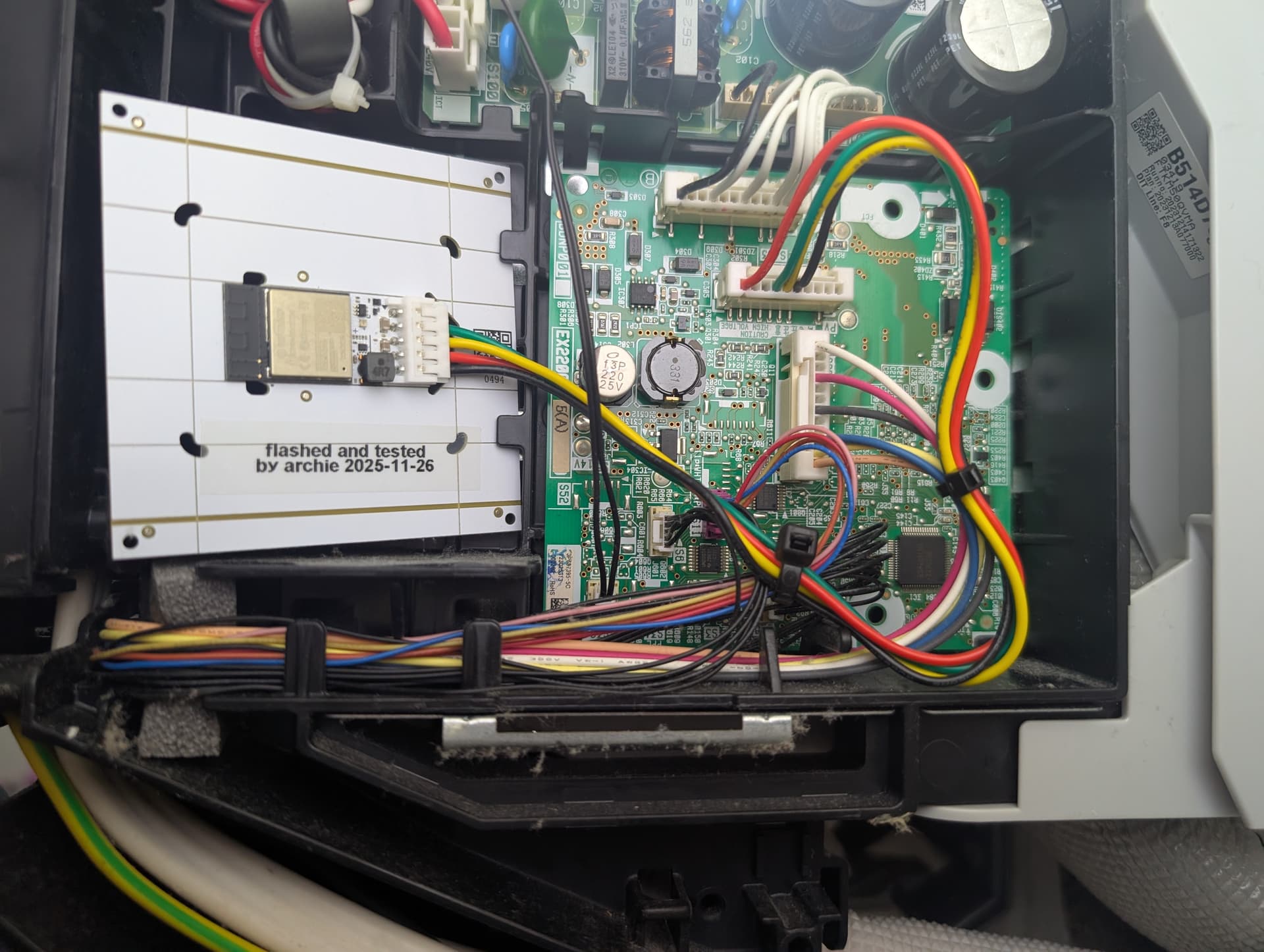
Ah, I did not know that. As soon as I saw the question in French my brain auto-translated it so I figured I would respond in kind.
Good to know!
Ah, I did not know that. As soon as I saw the question in French my brain auto-translated it so I figured I would respond in kind.
Good to know!
[quote=“tom.port, post:226, topic:644370”]
494
Hello, sorry, I didn’t realize it needed to be translated into English.
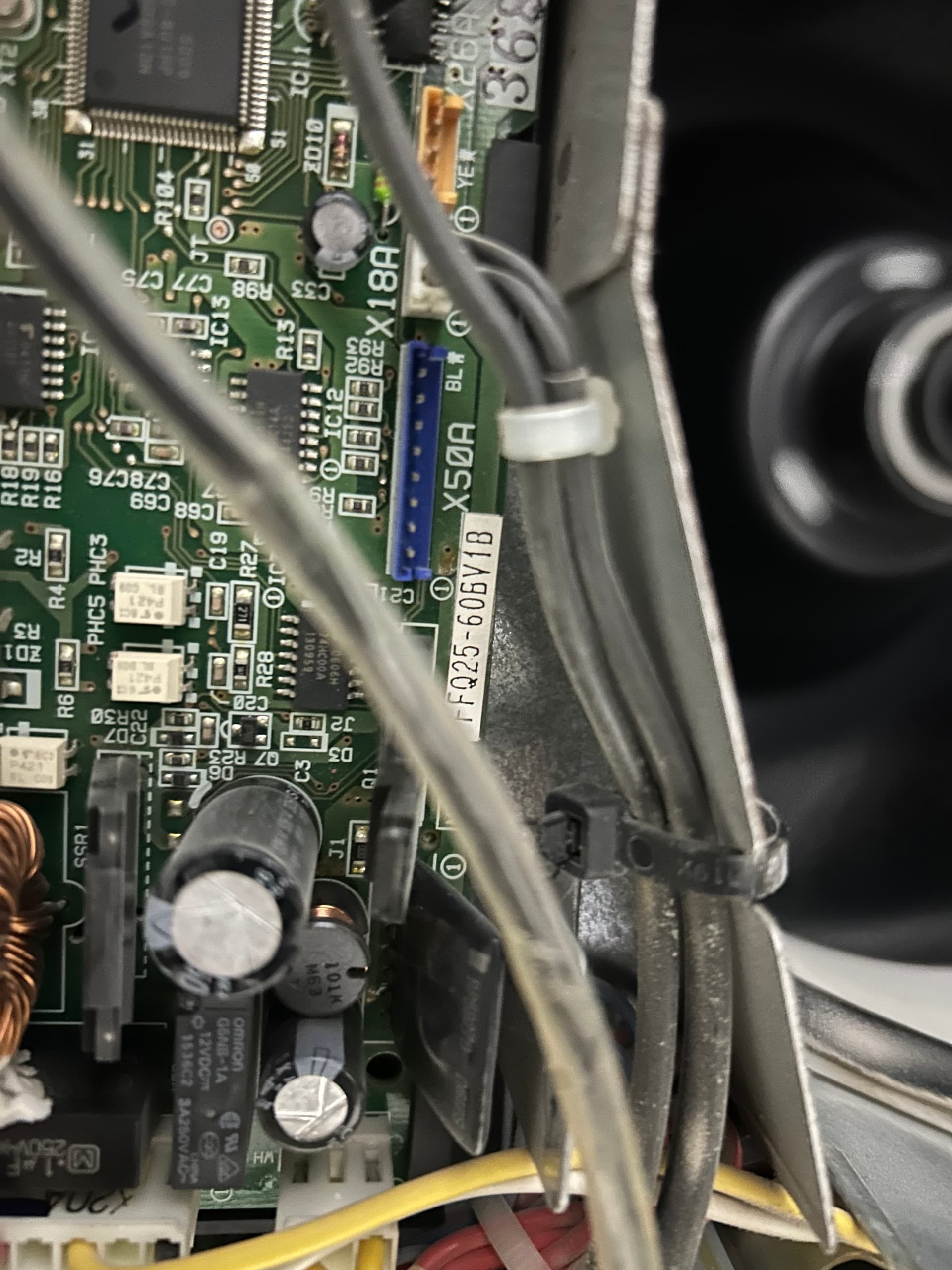
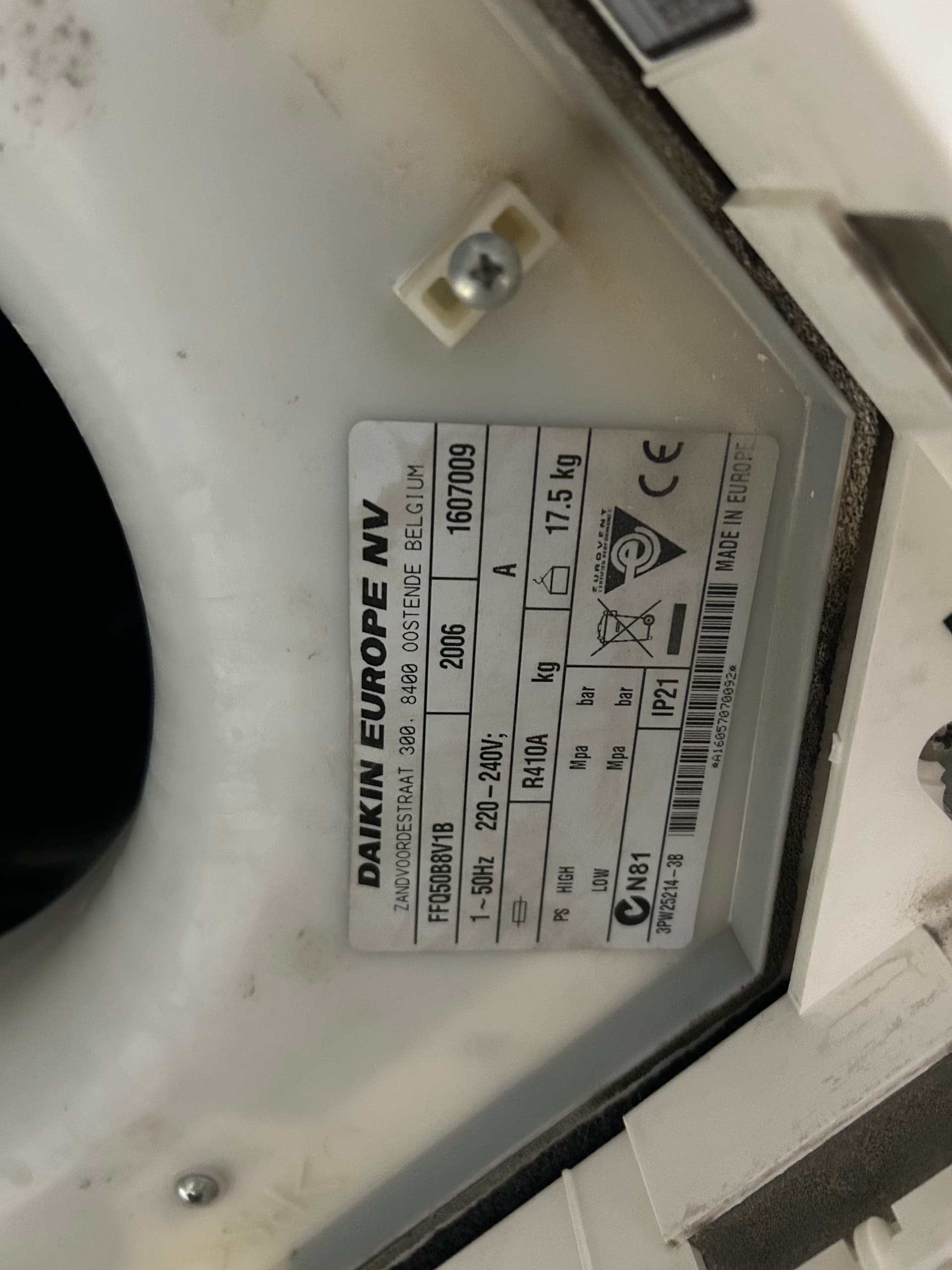
I’ve read a lot, and you’re the best when it comes to Daikin. I tried connecting the Faikin to my air conditioner, but the connector isn’t the same as in the tutorials. My X50A connector (pictured) is different. However, I did manage to power it on the S21 port (2 power wires) with a working Wi-Fi connection. But there’s no status communication.
Could you please help me with my old port?
Why not just use the S21 port?
Hello and thank you for your reply. My S21 port only has two wires; it’s just for powering the Faikin. If I understand correctly.
Hello and thank you for your reply. Yes, I tried it on ports P1 and P2, but I must have fried it. Do you know how to connect it to P1 and P2? Will the remote still work?
I haven’t been able to find the wiring diagram for my X50A port; I’ve only found the white wire. Could you please help me?
Weird. First time I’ve ever heard of that. Normally the S21 is:
| Pin | Daikin Colour | Generic cable colour | Meaning |
|---|---|---|---|
| 1 | Brown | Orange | 5V - not always connected |
| 2 | Red | Blue | Tx from aircon - 5V logic |
| 3 | Orange | Yellow | Rx to aircon - 5V logic but most models accept 3.3V |
| 4 | Yellow | Red | 12V, or 14V, or some such - used to power Faikin |
| 5 | Blue | Black | GND |
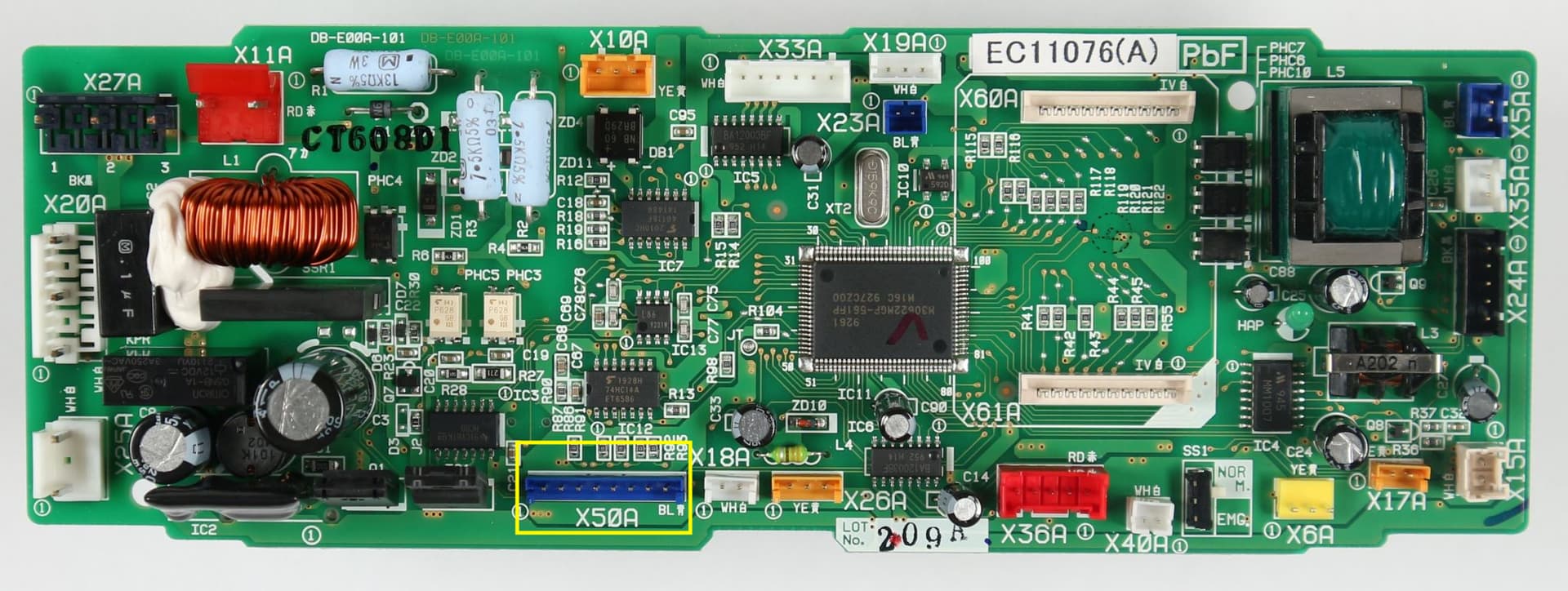
Faikin or Faikout not support P1P2, only S21/S403/X50a. With X50A port on your main board you can try following.
X50 pin 3: TX
X50 pin 4: RX
You can try to swap TX RX if not working.
Power it by the X35A port, yellow color in the picture below will be 12V, Blue GND. From my image above it is far right near the green transformer.
If it does not work, I sell the P1P2 module, you can inbox me.
Okay, thank you. How much are you selling the P1/P2 module for?
Hi, I am close but would like a professional to help me cross the finish line. Looking at the RevK documentation, and your post, that there should be a way to use an Ecobee thermostat as the Master tstat and Fsikout just as a slave. Ecobee has all the automation I would need, and Home Assistant can control Ecobee as needed (window open etc).
Do you know anyone (or you?) that I could hire to build a HA Bkueprint that simply enters the ecobee device, room temperature device (ecobee sensor or anything else like zwave temp sensor), and the Faikout device and with just those 3 pieces can produce a predictable automation to allow Ecobee to work as a normal thermostat controlling my Daiken furnace?
I have 4 Faikout and the ecobees with just 24v power installed and ready. My efforts at a HA automation have come close, but still many efforts. I’d like to hire a pro, I’m just a regular guy. Thanks, whatsapp 360-961-0222, David
I did it many years ago here:
I don’t use the integration anymore, because we just use home assistant directly, but I can testify that this does work to allow the ecobee to send commands to home assistant, and then control whatever devices you want.
FTXM25A2V1B user here, posting mostly for future googlers, really straightforward getting the faikin (aka faikout) installed and working.
Purchased:
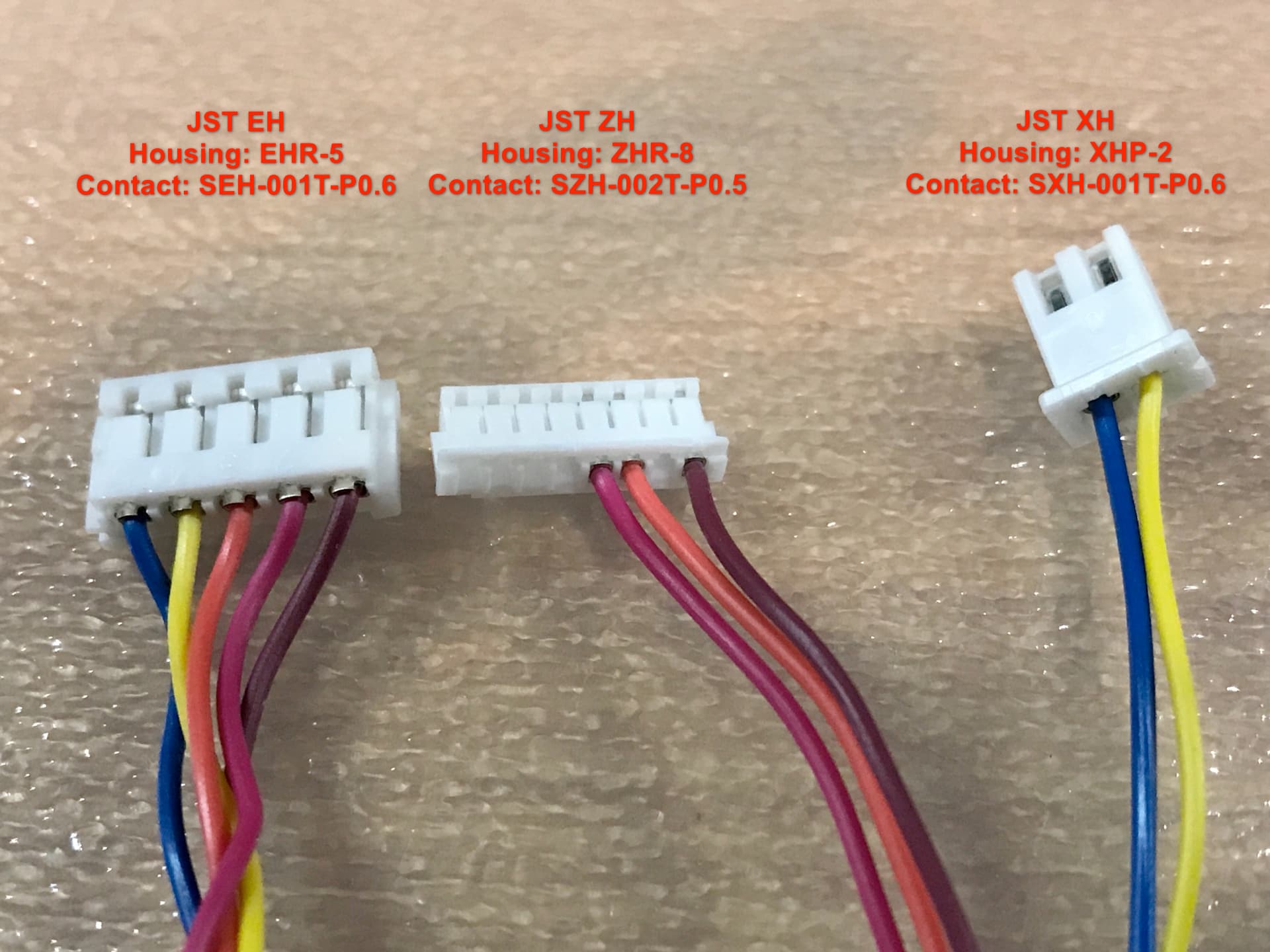
Then cut the dupont ends off both cables, soldered them together as per the type b wiring diagram: https://drive.google.com/file/d/1-oiA2pGbe1bD7iaTmuvDjmh3kIMH3cB6/view
Plugged it in, configured the wifi and MQTT, and it’s done.
I installed a Faikin board and it’s working great. When I send commands from it, the unit respond. But the Daikin remote never updates to reflect what the Faikin shows. For example, if I turn off the unit from the Faikin, the Daikin remote still says “ON”. When I use the Daikin remote , Faikin show the change right away. Can I get the Daikin remote to sync automatically with the Faikin?
The remote is a “dumb” device. It only knows about the commands that it has issued, not any other commands that the unit has got.
I have some original Daikin Wifi units (still need to finish the cables to replace them with my Faikouts) and even those, when using the Daikin app, or Home Assistant don’t agree with the remotes.
The remotes are basically just IR sending TV remotes with no smarts of their own, so if you change the channel on your TV, the remote has no idea.
Thanks for the quick reply. I’m disappointed to hear that. I can do without the Daikin remote, but it makes things harder with my wife. Any ideas for me? I do have a small kiosk for HA in the room (an old Android phone), maybe I’ll think about asking her to it instead of the Daikin remote…yikes.
IR remotes only work with 1-way communication. They fire a command & assume it has been received.
Same thing would happen if you covered the remote with your hand & pressed the power button while the AC was off. The remote would say AC is on when in reality it’s still off.
Of course! That makes sense. I’ve always seen the IR blaster on there, but have never known that remote not to connect. So I never really thought about it and was thinking it’s RF. Thanks.
Hey everyone, I’m the maintainer of the fork of the esphome-daikin-s21 ESPHome project at GitHub - asund/esphome-daikin-s21: ESPHome Component for Daikin Mini-Splits using the S21 serial port. Fork for contributing. · GitHub. I’ve added a bunch of features and improvements since forking when the original maintainer joshbenner had to step back.
Let me know if you use it, if there’s any features you’d like to see, problems, etc.
I just ordered a FAIKOUT for my DAIKIN… question:
I don’t use MQTT at the moment is there a custom component to make it work? Is the DAIKIN one ok by entering only the IP address?
Thanks