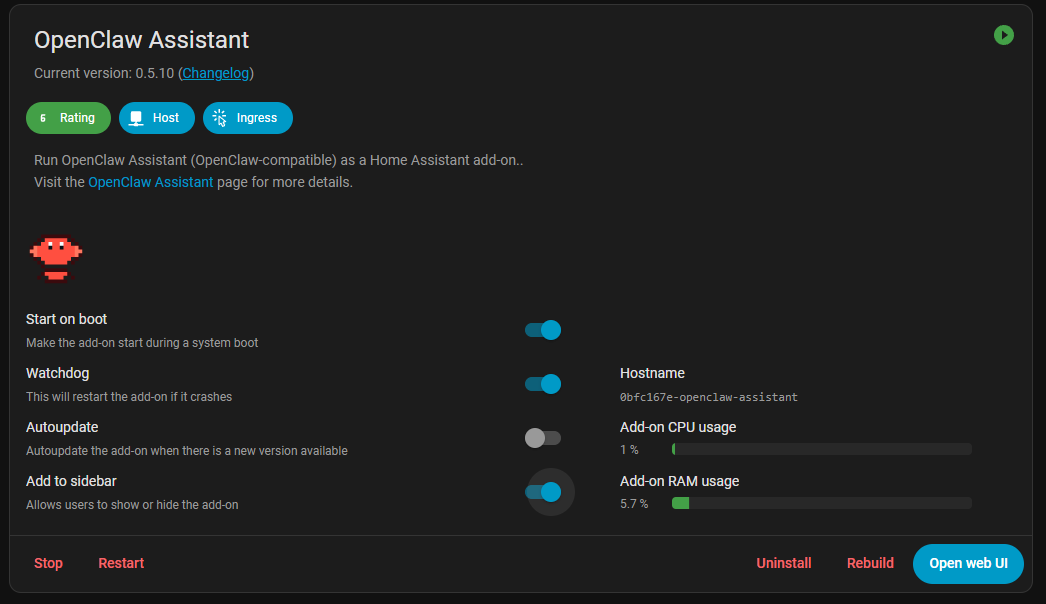
I’m excited to push the first public version of OpenClaw for Home Assistant Add-On. You can take a look at the repo here and install it. Setup instructions can be found in DOCS md file.
I’ve been using OpenClaw with home assistant from a separate server to do checking of some of my device behaviors. It’s proved very useful and I suspect it will be an integral part of my home automation going forward. I will have to see if I have enough available horsepower to use it inside my Home Assistant instance (Raspberry Pi) but OpenClaw is growing faster than anything I’ve ever seen.
The Add-On runs in a container under Supervisor but it has access to the /config folder. So it has access to the configuration.yaml and it’s capable of modifying it. Also for further capability you can give OpenClaw access via SSH to HAOS if you need to manage it on OS level.
Yea motlbook grew for couple of days exponentially. I’m not trusting it enough to give it a try. Prompt injection is too possible to happen in such “social networks”. But I keep an eye on it.
Well couple of things. In our addon web terminal is exposed along with the gateway (possible in any other similar addon, because it’s openclaw provided). I was not aware that such addon already existed but that doesn’t matter. I am planning to develop a satellite integration to the addon that will give you the ability to voice control and put OpenClaw in your dashboards. But first goal is to stabalize the initial release and provide support for as many as possible HA host devices.
Now I just gotta figure out how to set it up… I see there’s a dashboard command in the docs, but the port doesn’t map out of the docker container to the supervisor host.
Nice! Well first you have to run the openclaw onboard command and configure the bot. To reach the gateway you have to set it to lan mode. Look at DOCS md in the repo. I’ll improve the docs very soon.
And a small hint, OAuth models will work but after you sign in will redirect to non existent page. From the url you can see and copy the token and give it back to OpenClaw, so OAuth will work. Tested it with GPT codex 5.2. Kimi 2.5 also works very well. I’m even pushing new dev repo updates trough one of my HA instances via Telegram
I tested OpenClaw in a secure container and was genuinely surprised. I then connected it over MCP to explore what it could do with Home Assistant and similar scenarios. Initially, I used the Anthropic API and spent quite some time experimenting, until I checked the cost id used. Honestly, OMG. Using an API can run up your bill very, very quickly, so im not going to be using and API and want to use Local.
Since then, I’ve been trying to connect OpenClaw to a local model instead (llama.cpp or Ollama WebUI), but I’ve been banging my head against the wall trying to get it working and failing so far.
My question is: are you running OpenClaw against an external API, or do you have it connected to a local AI? Has anyone successfully connected it to a local model? If so, I’d really appreciate any guidance on the steps or configuration required.
I set up my OpenClaw to connect to my FreePBX server tonight. I was able to call it and leave a message it transcribed back to me in chat. It also called me and played a message and recorded the response. In theory it could dial out and speak to someone. Not really tying that capability to home automation yet but it won’t be long.