I have a remote off-grid instance of HomeAssitant, that occaisionally loses power, typically because the offgrid solar batteries died. When power comes back on, typically HomeAssistant is quicker to boot up than my remote wifi/starlink system.
As a result, HomeAssistant will connect to my neighbors wifi, because my wifi isn’t available, and I guess once, years ago, I connected to my neighbors wifi.
I would really like to tell HomeAssistant to forget (only) my neighbors SSID.
I have found instructions for doing this via the CLI, but - it’s remote, and I’m not there. Surely there’s a way to forget an SSID without using NMCLI on console?
I’ve also found instructions for deleting ALL SSIDs, but I don’t want to delete the correct SSIDs.
Can you change the configured password for the neighbours WiFi SSID to an incorrect password so it will not successfully connect? Ask your neighbour to change their SSID password as part of good security practise?
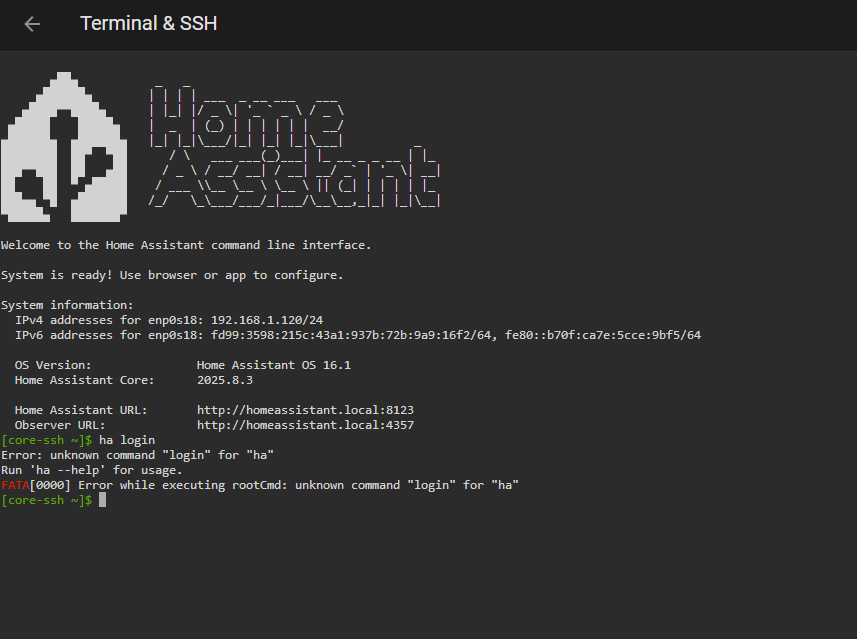
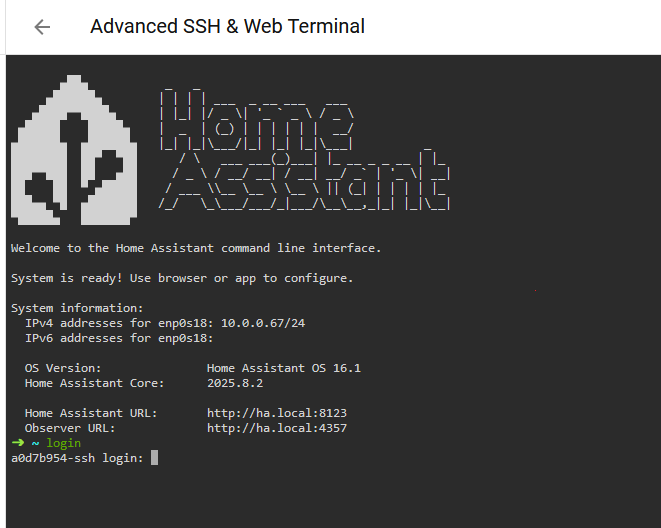
Using The Advanced SSH Ad-on, with protection disabled, I still cannot access the BaseOS Wifi settings.
On a separate machine, from the console, I can run ‘nmcli’ and access the Debian Network Manager CLI.
But on this remote machine, when I connect via either SSH ad-on, NMCLI is not available, even after running login. I’m still in a container, not on the base-os.
You can see that with the 'Welcome to Alpine!" line.
If you can figure out from within HASS what the current SSID is, you could possibly write an automation to reboot after x number of minutes on the assumption that by that point your own WiFi has been restored.
Unfortunately, all I have in this regard is the high-level suggestion; I don’t know how to implement either piece of that on your system.
I don’t think such a sensor exists.
The whole idea of WiFi is discouraged in the installation documentations, and then to add a sensor on the WiFi, just in case someone not only adds one WiFi but two?
I doubt it…
I don’t believe there is a single document that says “do not use Wi-Fi”, however I would say the documentation does recommend a Wired Ethernet connection (Raspberry Pi - Home Assistant).
These would be the main reasons:
1). Reliability: A wired connection is stable and less prone to interference or signal drops.
2). Latency: Ethernet has a much lower latency, which in turn means a faster and more responsive system.
3). Power: Wi-Fi actually consumes more power than Ethernet.
Yeah, wired would certainly avoid issues like this, but the prior comment suggested it was actually discouraged, or possibly not-supported. I didn’t think that was the case.
I’m a bit stunned that forgetting an SSID is this complex.
I guess it is because very few people have run into the issue and the Dev’s haven’t consider adding a UI for it because the recommendation is to use Wired Connections.
I’ve never tried the WiFI settings in HA so have no clue what they look like.
I can’t find it now, but just a last week I copied from some page on HA documentations the following in response to someone else:
Ethernet cable. Required for installation. After installation, Home Assistant can work with Wi-Fi, but an Ethernet connection is more reliable and highly recommended

 [add-on] HassOS SSH port 22222 Configurator - Installation / Home Assistant OS - Home Assistant Community