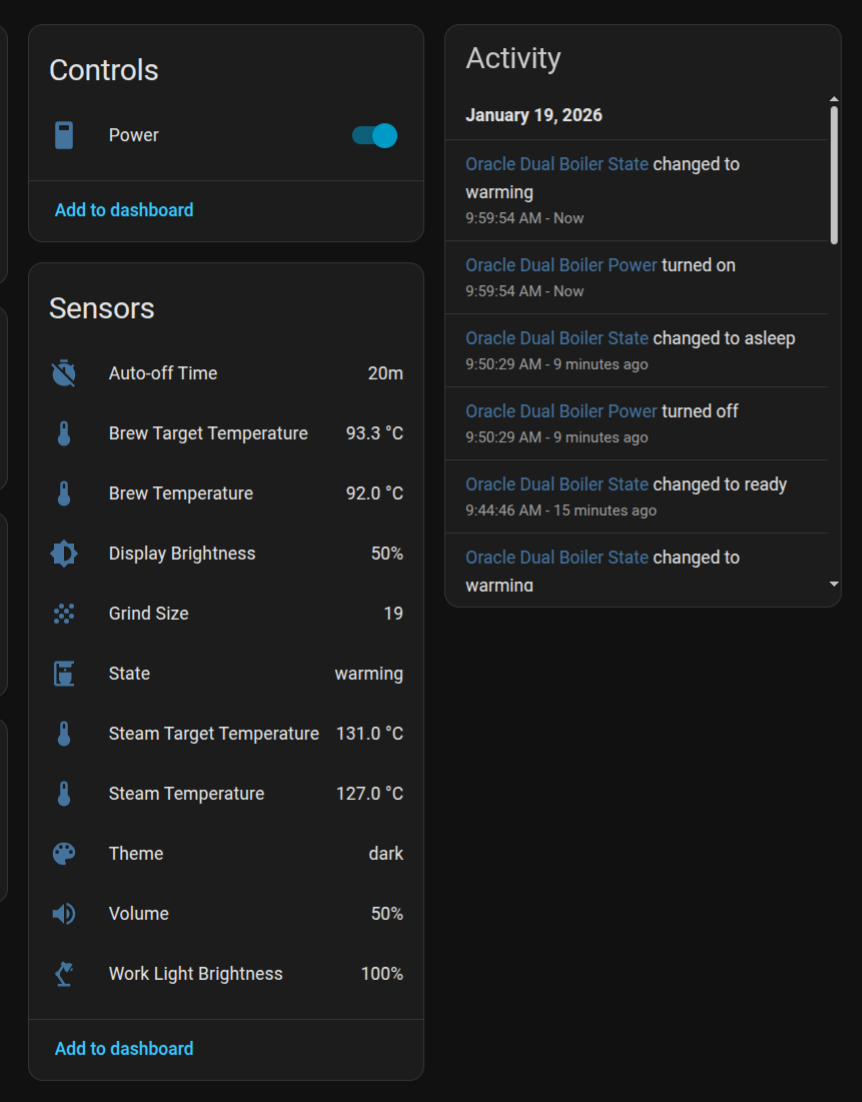
I’ve reverse engineered the API from the mobile app for Sage/Breville coffee machines and built a Python library with methods for the endpoints, as well as a websocket handler for status updates. I’ve then wrapped that library in a Home Assistant integration, which you can install via HACS from here.
I know this will apply to quite a niche audience, as right now the only machine it connects to is the Oracle Dual Boiler, but hopefully they will add connectivity to more machines soon.
Prior to this I was achieving a similar outcome using a smart plug (for power draw and then inferred state [ready, warming up, standby] and a Switchbot to physically ush the power button to toggle state. That has worked delightfully for years, but the new machine has an API so why not
[Edit: I realised after sharing that this might be useful to others too, so have uploaded a Blueprint]
So funny! I literally spent this past weekend analyzing the HTTP requests from the Breville Coffee App as well and figured out the main endpoints auth/refresh, on/off and applianceProxy websocket. But you beat me to the punch in releasing this first
Thanks for doing this! I will test it out when I get home. I think it should work the same with the Oracle Jet as well but I also only have the Dual Boiler so can’t test it.
Oh really? I didn’t realise the Jet also worked with the app.
Is that what you have? Did you get an opportunity to try it? If it works I’ll update the note on the repo as I have it called out there that it’s only the Dual Boiler.
Nah I have the dual boiler as well but I know the jet uses the app as well. In fact, in the Amazon Alexa skill, the dual boiler shows up as a Jet in the device details. They have similar features. The main difference is the use of dual boilers vs thermojet as far as I know
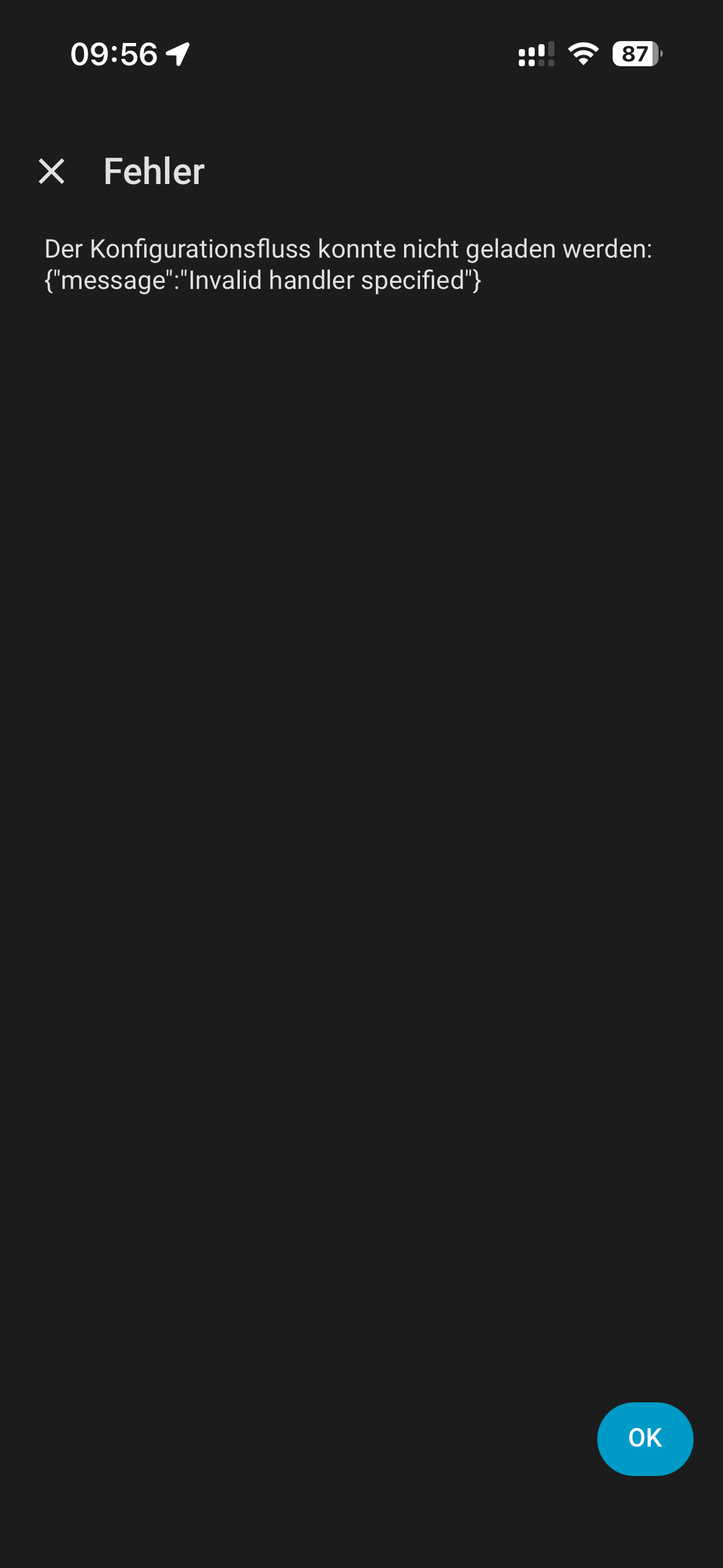
Wow cool, I was looking for this since I got my duo Boiler month ago and now you Build it. I am just getting an error Setting up the Integration. Hacs install works Fine.
Error occurred loading flow for integration sagecoffee: cannot import name ‘CONF_MACHINE_TYPE’ from ‘custom_components.sagecoffee.const’ (/config/custom_components/sagecoffee/const.py)
Changed CONF_MACHINE_TYPE inside the plugin everywhere to CONF_BRAND
that was solving the error. Maybe you can update your git @simonjgreen
I know I said this before but this is probably one of my favorite integrations in Home Assistant. I love being able to make it part of my morning automation. Setting the working light to 100% (visual cue) and using ChimeTTS (audio cue) to announce when the Breville is ready
Two questions:
This may be a dumb question; how does the integration work, for example, if I change the work light value, does the request go all the way back to Breville’s server? Or is the command sent directly to the Oracle Dual Boiler? I’m just curious if the internet connection is required just for authentication.
Instead of making the working light entity domain a number.* why not make it light.* ? That way you can actually turn off the light. Currently setting the working light to its lowest value of 1 doesn’t turn off the light.
Internet is required. The integration uses the same API as the mobile app that Sage/Breville supply. There is a endpoint to send commands to, and a websocket to watch for state changes.
I considered this, but given it’s not a traditional “light” I thought it might be a bit weird. It feels more like a configurable preference than a light you’d want to turn on and off like a room light. But I’m open to feedback!
This smells like a bug, I’ve created an issue against the underlying library and will have a look when I get some time to experiment. Thanks
Note for all, I have created a test release here attempting to resolve the memory leaks that are crashing home assistant instances. Feedback appreciated after a few days of running!
This is being worked here Crashing Home Assistant · Issue #6 · simonjgreen/sageha · GitHub
It’s not happening to me, or a friend of mine, but is definitely happening to some folks! If you happen to have instrumentation/profiling enabled in your HA install I’d welcome any detailed logging you might have in that issue. Additionally trying the latest pre-release version would help.