You should show us the code where you get that error.
And please share the error. Different person with a similar error had the error in the editor but not in HA itself 
mqtt:
  - lawn_mower:
      name: "navimow i105e"
      unique_id: navimow_i105e
      activity_state_topic: "mower/navimow_i105e/state"
      activity_value_template: "{{ value_json.activity }}"
      start_mowing_command_topic: "mower/navimow_i105e/cmd"
      start_mowing_command_template: '{"action":"start"}'
      pause_command_topic: "mower/navimow_i105e/cmd"
      pause_command_template: '{"action":"pause"}'
      dock_command_topic: "mower/navimow_i105e/cmd"
      dock_command_template: '{"action":"dock"}'
      device:
        identifiers:
          - "12345"
        manufacturer: "Segway"
        model: "Navimow"
        model_id: "i105E"
        name: "Navimow i105E"
        serial_number: "12345"
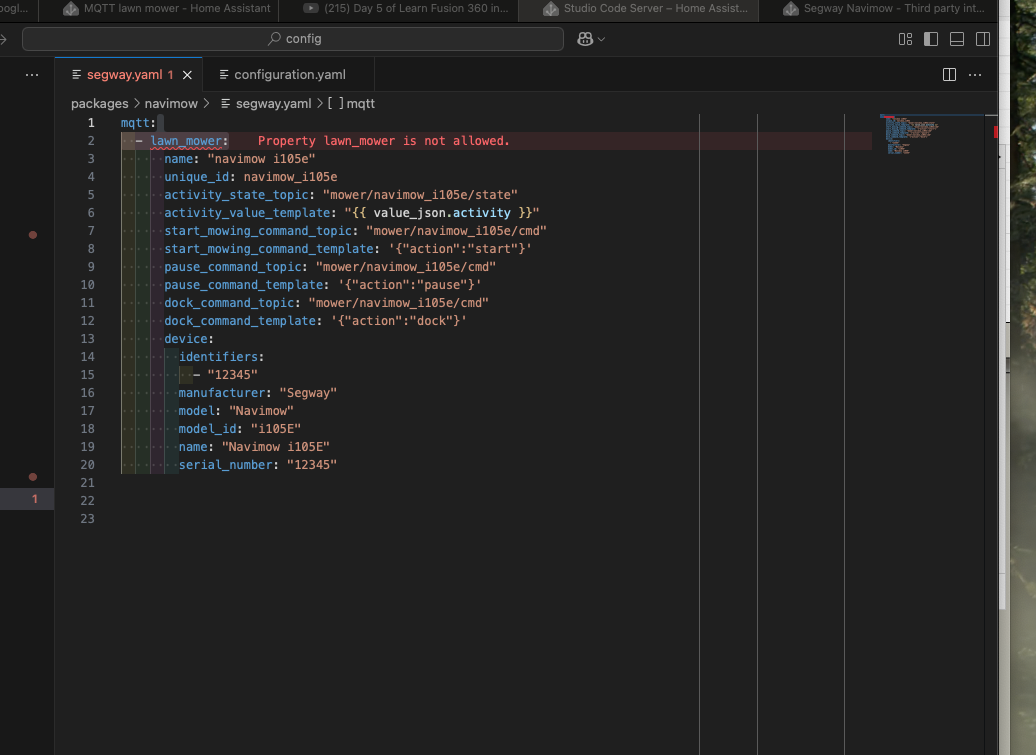
What does Home Assistant itself say when you do a configuration check in the developer tools?
I think your editor is using an old HA version as a baseline.
It accepts it just fine . I don’t know what happens, but I can’t get it to work . The automations do also fail . I may take a look at it later - it gives me to much frustrations right now 
1 Like
What do you have in your configuration.yaml in the include-section under mqtt?
E.g. my include section looks like this:
# Includes
automation: !include automations.yaml
script: !include scripts.yaml
scene: !include scenes.yaml
switch: !include_dir_merge_list switch/
template: !include_dir_merge_list template/
sensor: !include_dir_merge_list sensor/
mqtt: !include_dir_merge_named mqtt/
The way MQTT-configs are handled is a bit special, as in it allows every type only once. So only one section for sensors, buttons, lawn mowers…
Currently I have;
mqtt: !include includes/mqtt.yaml
But worth to split it out like you are doing with the amount of MQTT sensors in my set up
But yes, every type can only be once, but multiple can be present in every type.
I’m using google assistant sdk custom, which worked great until yesterday evening. I used Integrating Segway Navimow with Home Assistant - YASH! to set it up and also followed all instructions on the home assistant integration page but I no longer get a proper response from Google. It always results in an empty response, even though I’m using Google assistant SDK custom.
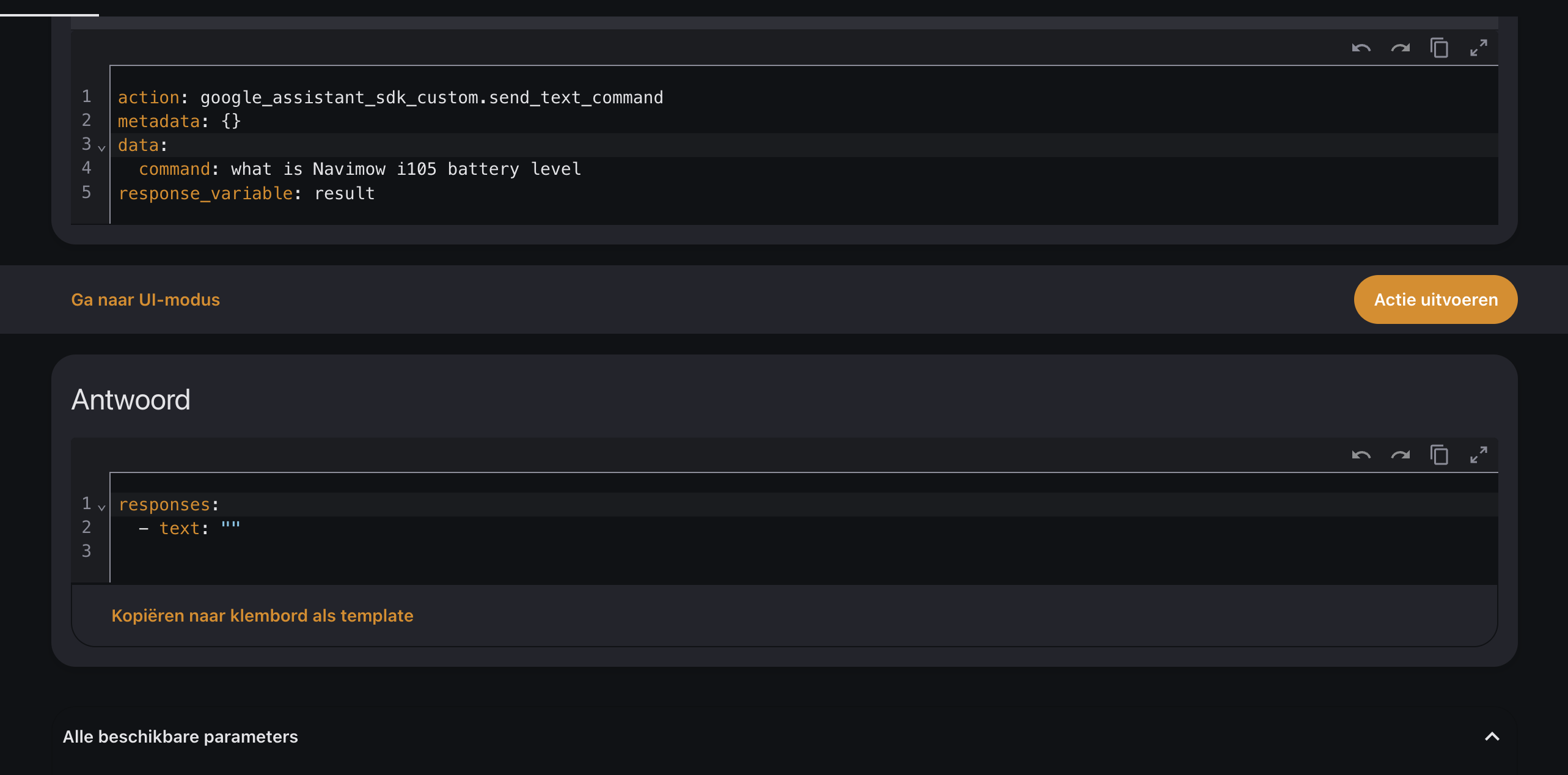
Other commands like “testing 1 2 3” works fine.
I already tried to remove everything and set it up again, also created a new project in Google and new credentials, but the issue stays. Navimow works fine from the Google home app on Android.
Does anyone have an idea what’s wrong and how I can fix this?
same here 
In the logs you can see this:
“Sorry, I couldn’t reach Navimow.”
Little update from navimow today. Just so you know:
Thank you for contacting Segway Navimow Support. We appreciate your interest in integrating your Navimow i105 into your home automation platform.
Currently, our mowers do not support API integration. However, the Navimow i105 is compatible with Google Home and Alexa, allowing you to use the Smart Home function for basic operations. To enable this feature, please follow these steps:
- Open the Navimow APP.
- Navigate to Settings > MOWER > Advanced Features > Smart Home > Alexa/Google.
Please note:
• Alexa supports English, German, and French.
• Google Home supports English, German, French, Spanish, Italian, Dutch, Portuguese, Danish, Norwegian, and Swedish.
• This feature currently supports basic operations, such as starting the mower, but does not allow querying specific parameters.
If you have further questions or need assistance, feel free to reach out.
Best regards,
Segway Navimow Support Team
I wonder if it’s related to Assistant vs Gemini. If I open up the Google Home app, I can type a command but whatever command I type, it doesn’t do anything as it says it’s not available for my home yet.
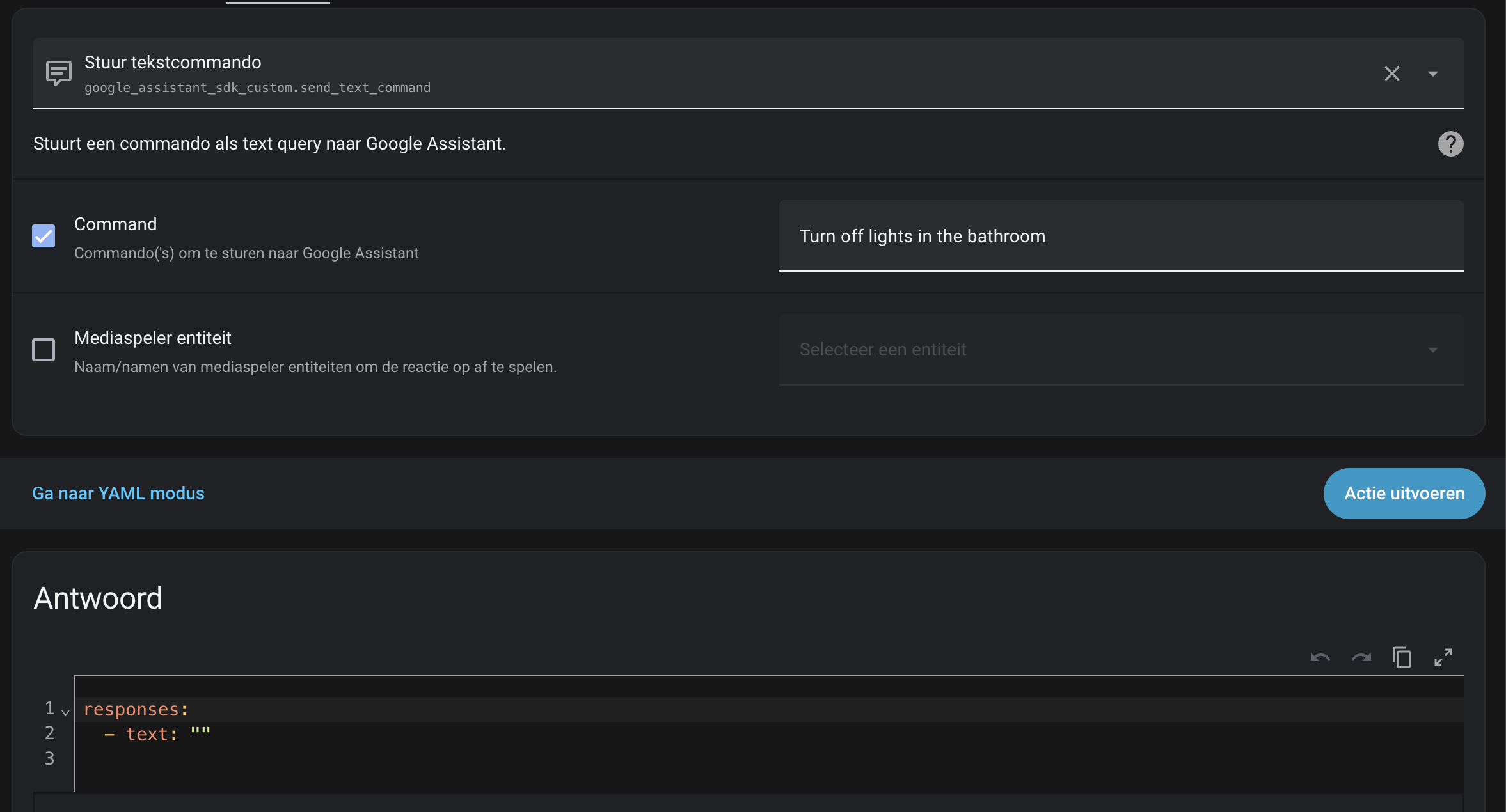
Now I’ve tried to turn off the lights in the bathroom from within Home Assistant by sending a command through the Google SDK. I also get zero response. If I ask what the time is, I do get a response.
So my gut feeling says something is wrong at Google. Like it doesn’t know my house anymore, and thus does not know my mower.
Are you using the Google assistant SDK from HACS? The built in one doesn’t work for this.
Did you reach the 500 daily query limit? You can see what has been used within your Google project
No, I checked this and there are still plenty of calls left.
I’m also using the Google Assistant SDK from hacs(the Custom version).
Still experiencing the same issue.
There is already an open issue: https://github.com/tronikos/google_assistant_sdk_custom/issues/36
Exactly the same thing happened to me. No questions have been answered for about three days. The integration was reinstalled in HA and Navimow was re-integrated with Google Assistant. Only when I asked the questions in a different language did I sporadically get a response. But that only related to the status. One out of 10 attempts was answered. Otherwise, the response variable was empty.
What‘s really strange, commands work all in my case. Only status questions don’t.
maybe related to this: Smart Home: Gemini for Home startet für erste Nutzer - ersetzt Google Asssistant auf Smart Speakern (US) - GoogleWatchBlog
Hey guys. If you want to get it back running, follow the steps under GitHub - tronikos/google_assistant_sdk_custom: Fork of Google Assistant SDK integration to allow getting responses from commands to Google Assistant. I got it working again with the desktop credentials. If you have any questions, ask.