That is your light control setting of 25%. So when DL is disabled by your template helper it will switch and apply the light control settings.
And my understanding was you wanted the light ON “All Other Times” other than “Week Days ( Mon to Fri) - Light off between 9am and 4pm”. So you will need to set up a trigger that will handle this. Because this is mon to fri to could set up another template sensor so Week Days ( Mon to Fri) - between 9am and 4pm = OFF else ON.
Excluded the weekday code (not added that yet) the setup is still not working.
Its 4.30pm (lux is 825 and lights should be at 25%, but they are not turning on)
Ive noticed i dont have any trigger set, does at least one trigger need setting to activate the dynamic lighting, or is the dynamic lighting independent of a trigger
Yes you need a trigger. The trigger decides when the automation will run.
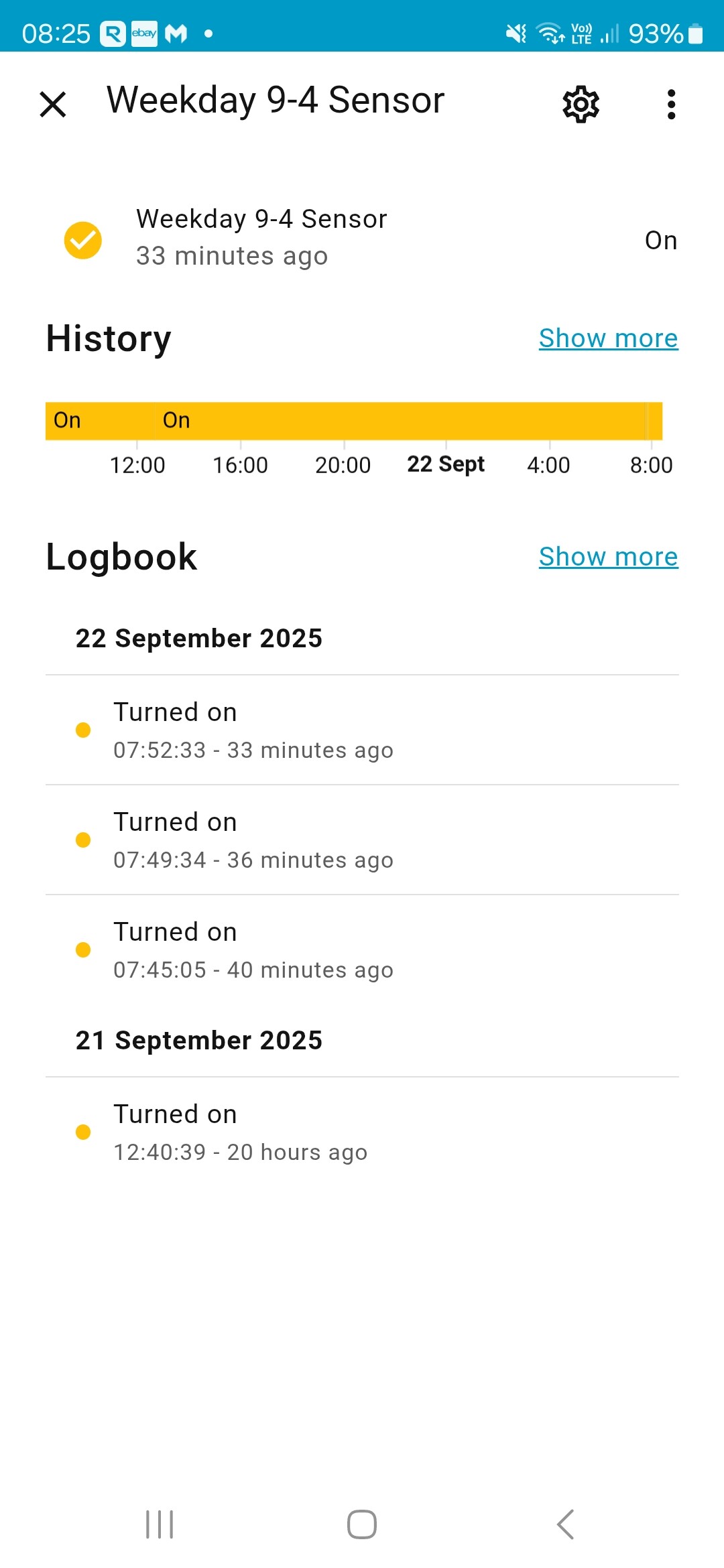
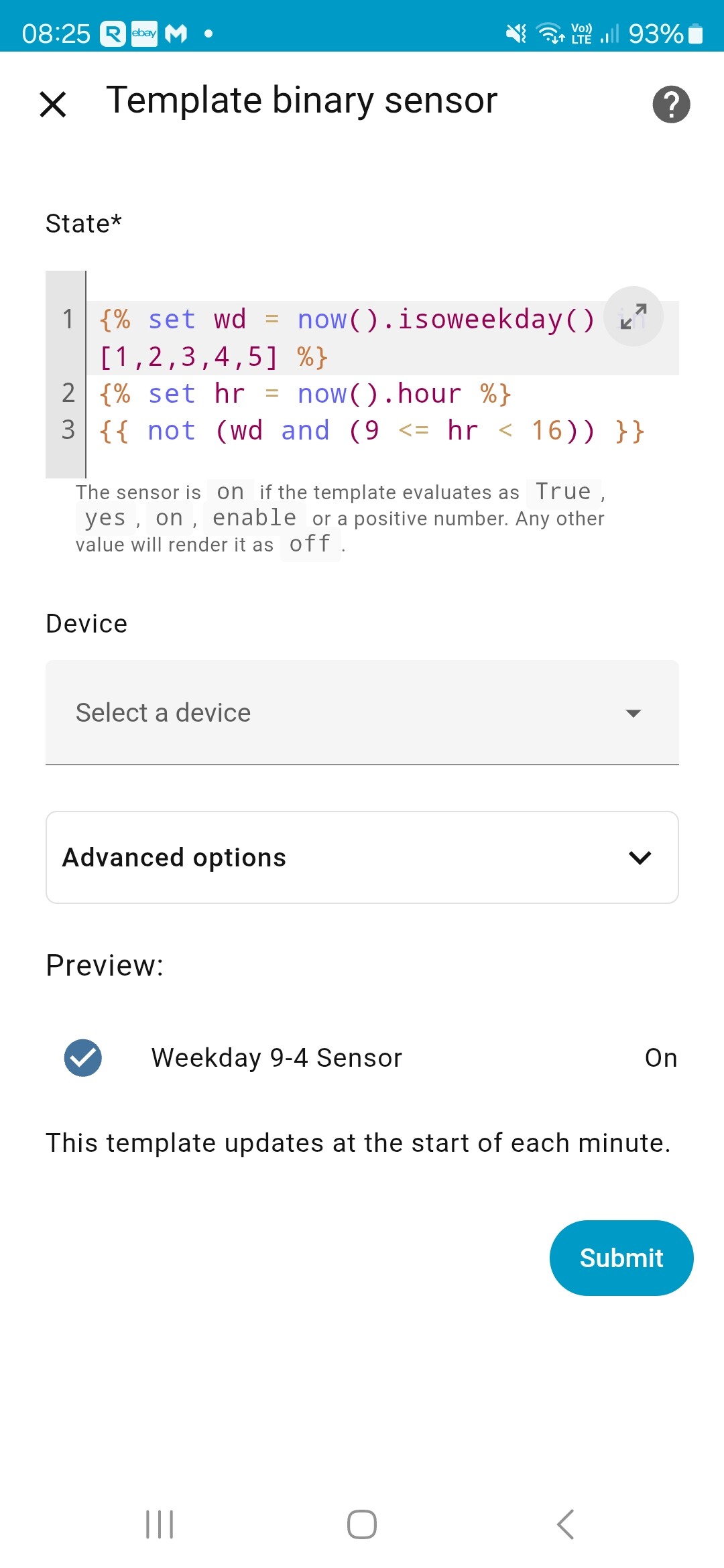
As indicated in my last post that you will need to set up a trigger. So if you want this 2nd automation to run when your other automation is not Week Days ( Mon to Fri) - between 9am and 4pm then you can create a template sensor like this.
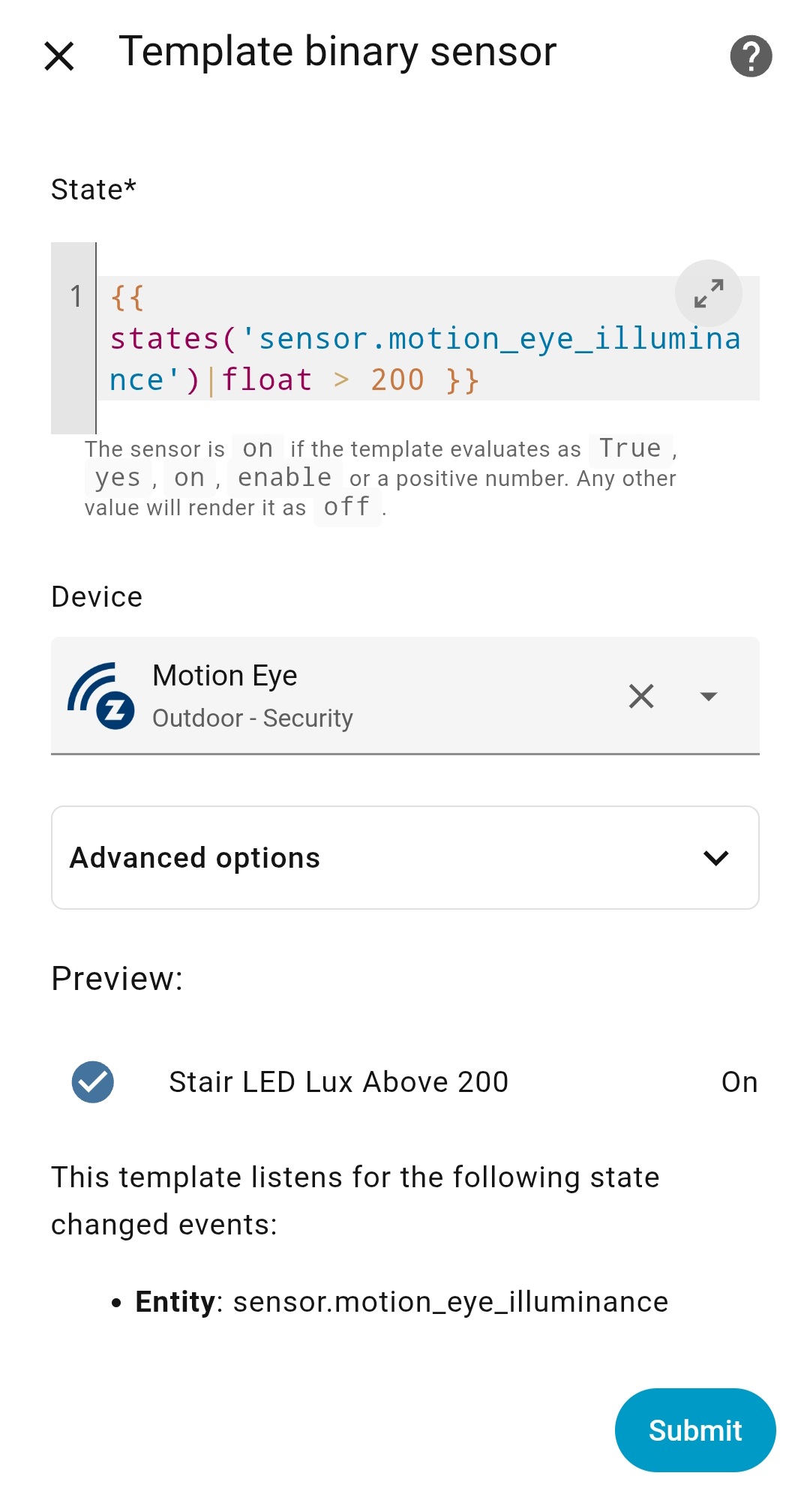
How to Create a Template Binary Sensor Helper.
Go to Settings > Devices & Services > Helpers.
Click “+ Create Helper” and choose Template > Template a binary sensor.
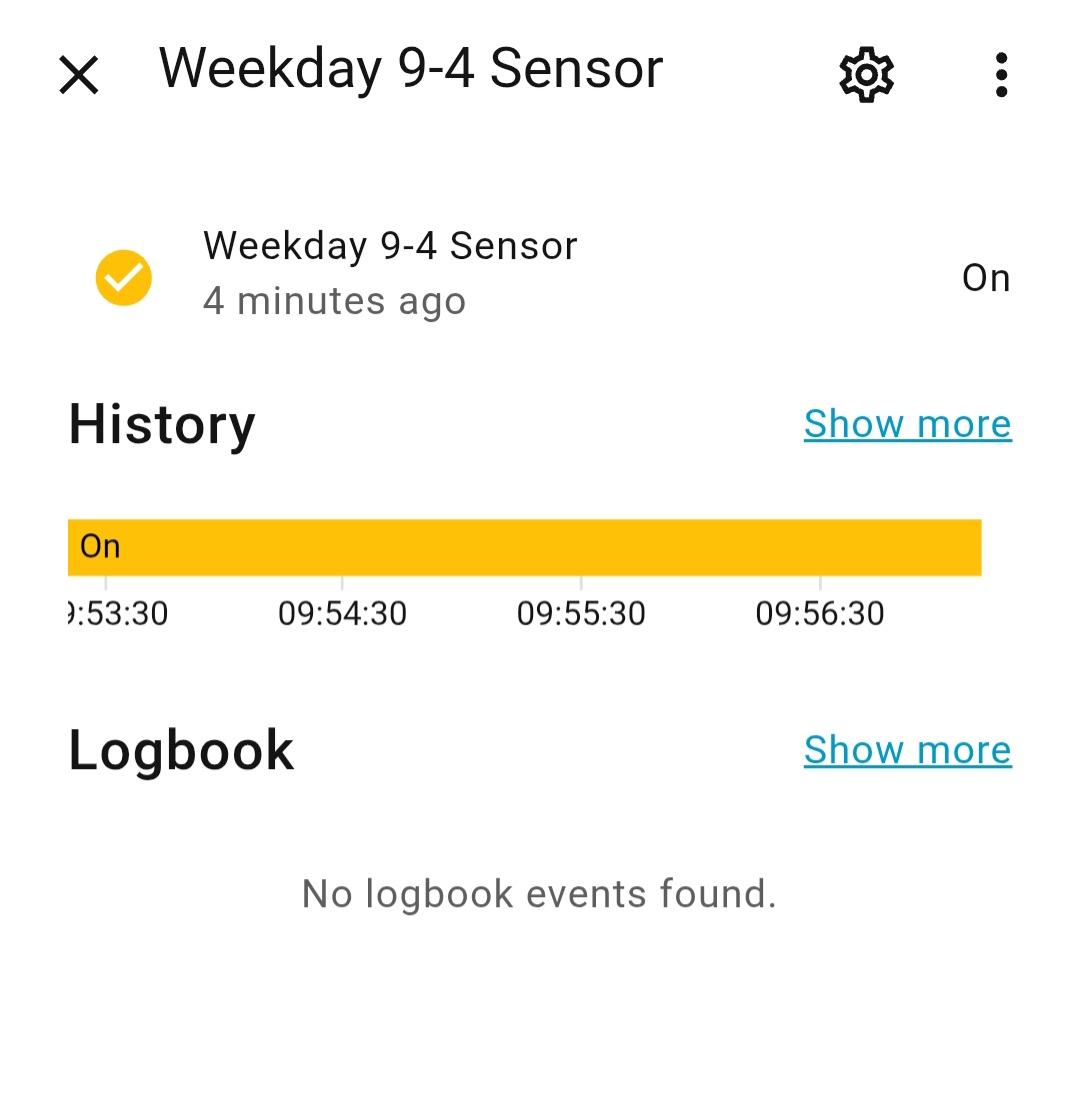
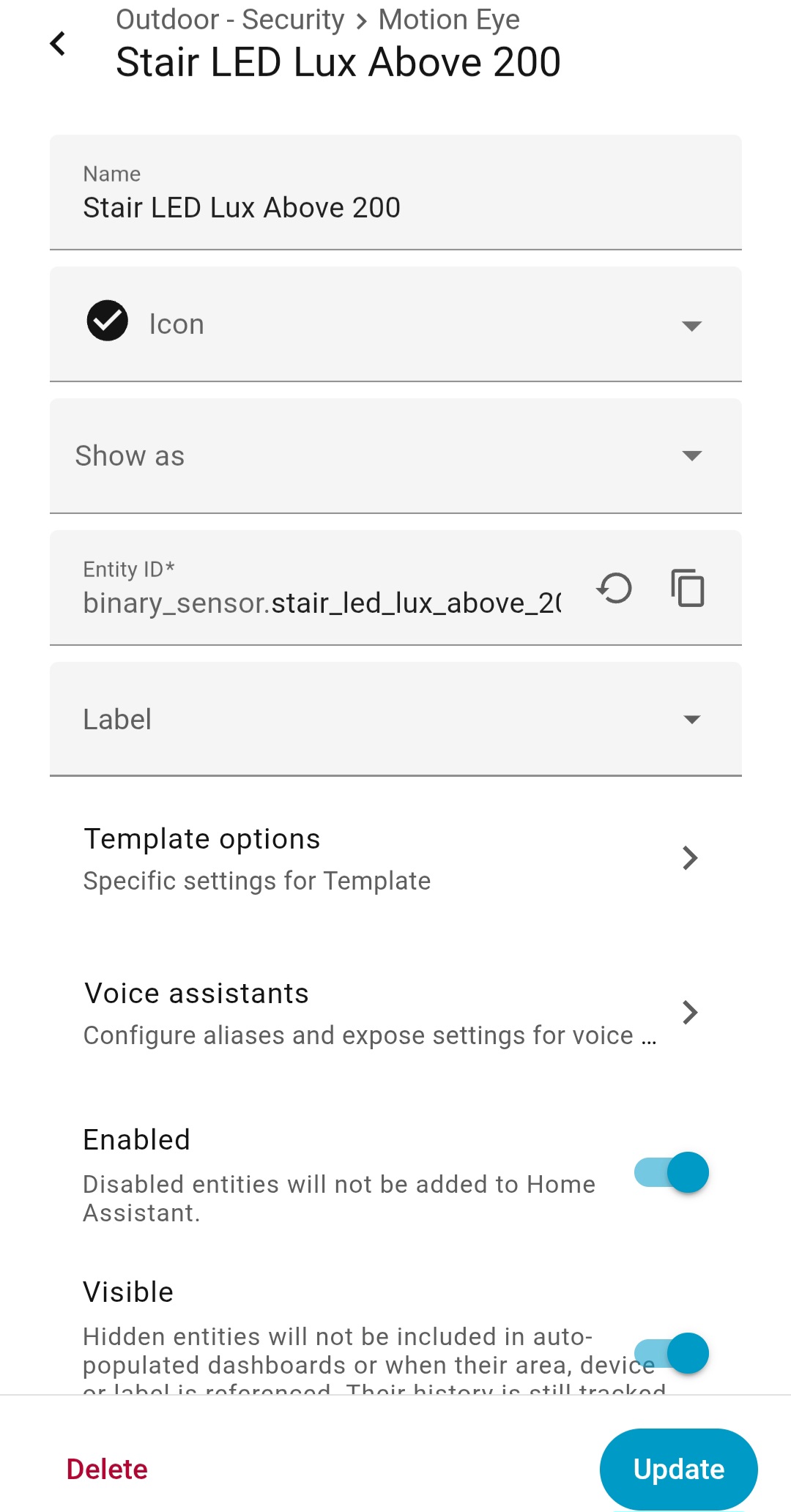
Set a Name for your new binary sensor (Example: Weekday 9-4 Sensor).
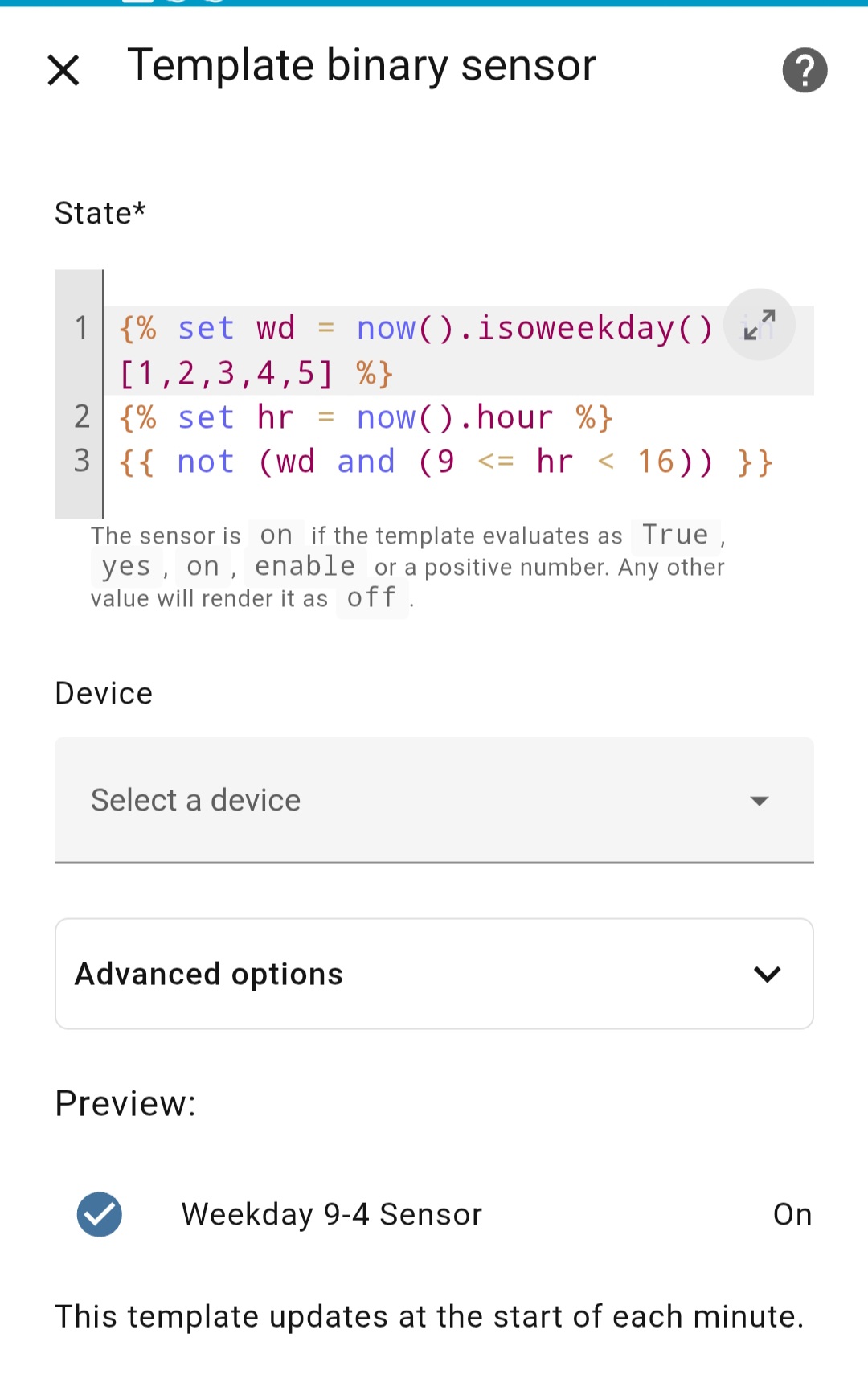
In the State template field, paste the code below.
Set the Device class if you like.
Optionally, select a Device to link this sensor to like your lux sensor. Leave it blank if not needed.
Click Submit
{% set wd = now().isoweekday() in [1,2,3,4,5] %}
{% set hr = now().hour %}
{{ not (wd and (9 <= hr < 16)) }}
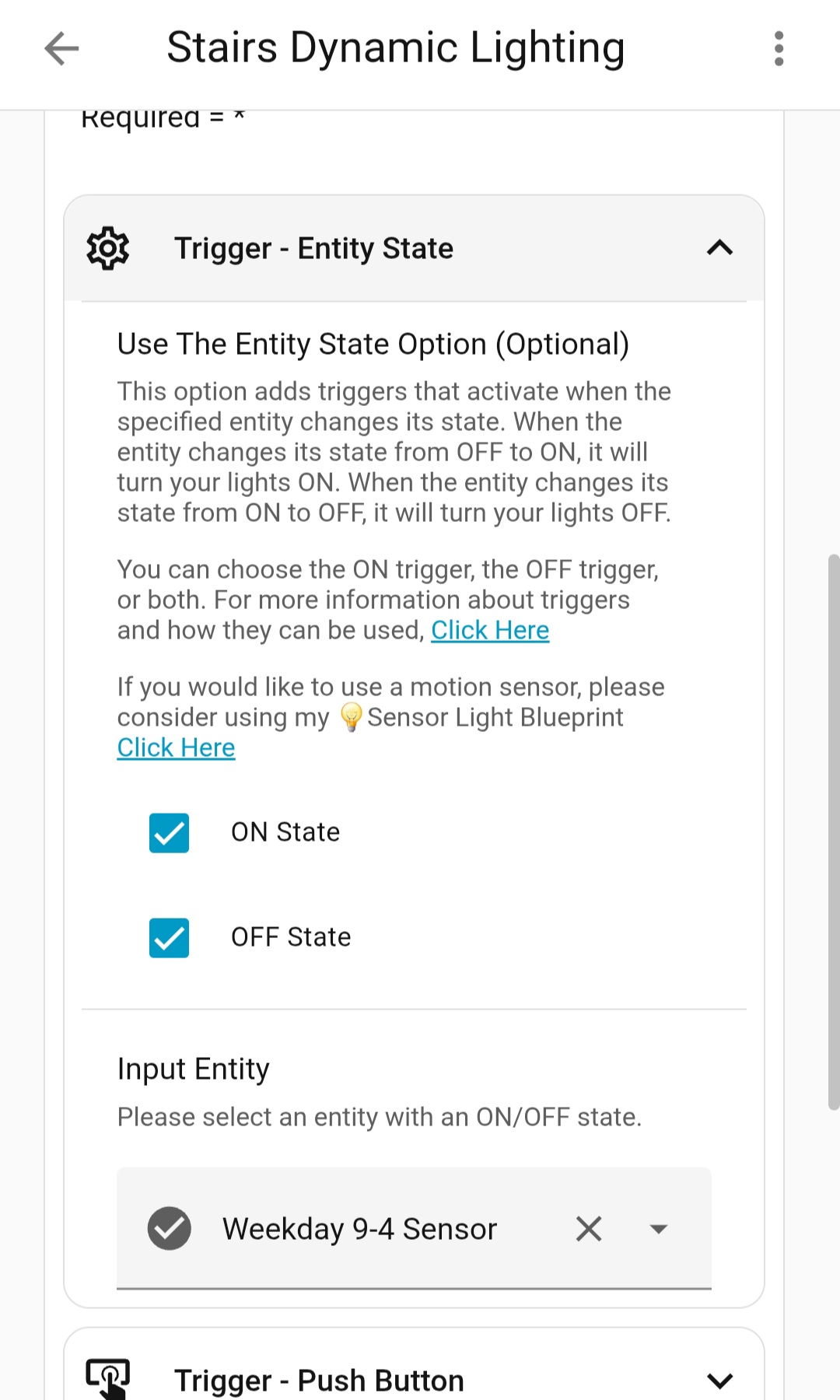
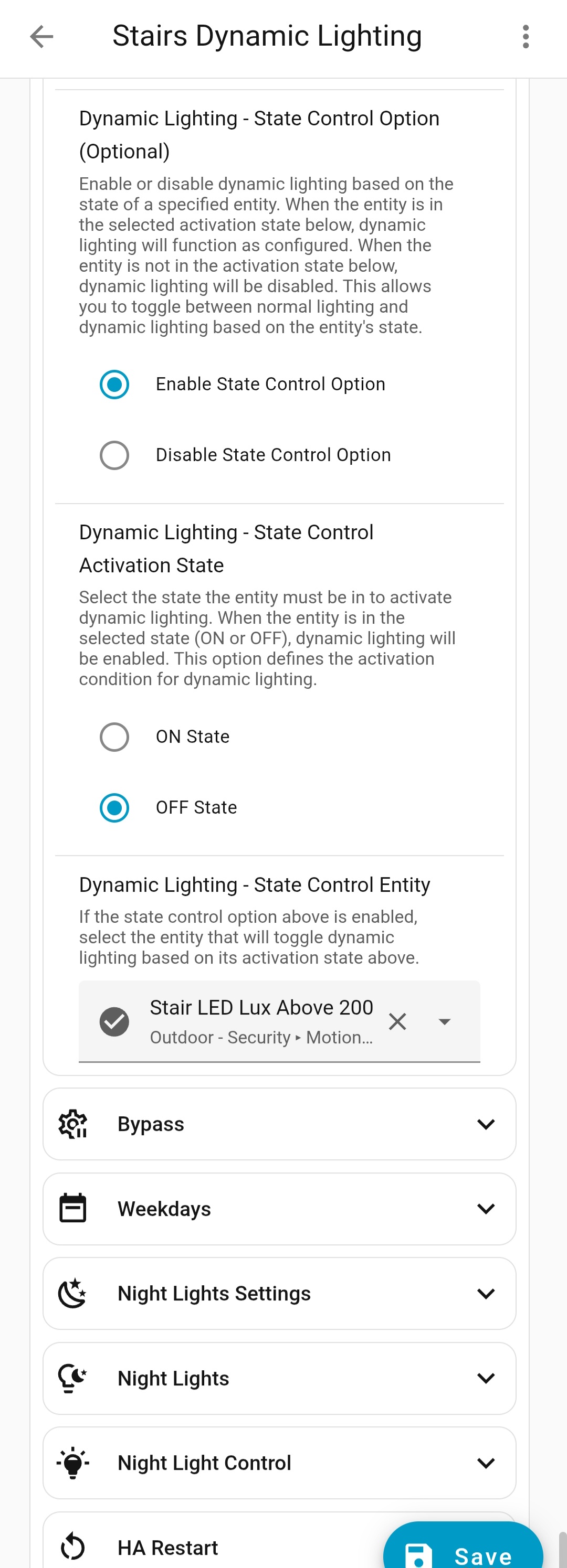
You then will use the template helper in Trigger - Entity State - Input Entity and select ON State & OFF State.
What would I do if I want to add another action of turning the lights on full 100% for 10 minites if a camera detect a person.
This would be between 10pm and 7am.
Would that be a completely new automation, and would I use the blueprint again?
Would I need more coding.
I just saw the update from my question to the sensor light blueprint – thank you! Question on this one. I have 4 lights attached to my smart light automation. They turn on to 100% brightness when solar elevation dips below 30. However, if one of the lights has already been turned on, then the automation doesn’t turn on the rest of the lights. Is this expected behavior or have I totally misconfigured this? Thanks!
It should turn on any light that is OFF… unless if your using the button as the trigger. If one light is ON it will turn them OFF first. Once all lights are OFF it will turn them all on.
Smart Lighting: Your Lights, Your Way - Take Control and Customize it to Perfection!
Dynamic Lighting Update
We’ve listened to your feedback and made the Sun Elevation options truly dynamic.
Previously, Dynamic Lighting with sun elevation was locked to a fixed cutoff of -10°. This meant it couldn’t run below that hard-coded limit. Now, the system adapts to your input values instead of being restricted.
Dynamic Lighting will automatically use:
Sun Elevation Rising - Start Point when the sun is rising
Sun Elevation Descending - End Point when the sun is setting
This makes the feature fully flexible. Want Dynamic Lighting to run down to -30°? Just enter it in your input, and it works… no extra setup or new options required.
If you like this blueprint? Consider hitting the button in the top post
If you like my blueprints, and would like to show your support or just say thank you? Click Here
I have another bit of complexion to add to the staor lights you have help set up for me.
I want to decrease the brightness of these down to 5% after 11pm (untill they turn off in the morning). But I only want to do this when we are alseep.
I think I have a way to sense this. Using the Yale Smart Door Lock.
So, to blueprint you have already set up for me, is it possible (and how) to add “turn stair lights to 5% IF door lock is Locked, ELSE continue with the dynamic lighting of the blueprint”
So you would use Night Lights. You’re asking from 11 pm to (I assume) 9 am, but only if the smart door is locked.
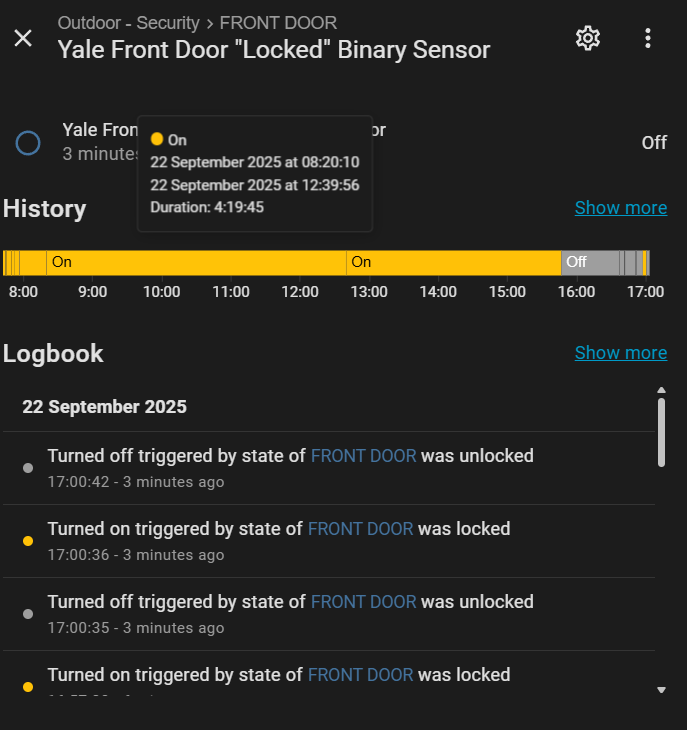
The first step is your door lock state. The HA docs for your lock aren’t clear, so you’ll need to check and see what state it shows. Normally the binary sensor for a lock is unlocked = ON and locked = OFF, but we need the opposite.
So again, a template binary sensor… I’ll just give you some code. This code assumes your lock has the state locked, and we’ll make the template binary sensor = ON when locked:
Once you have that sensor, you’ll use it in Night Lights.
Enable Night Lights.
In Night Lights Conditions, enable both entity state and time.
For Night Lights – Entity State, select your new lock sensor.
For time, set your start and end time.
Set up your night lights at 5%.
In Night Light Control select If lights are ON, adjust the lights when crossing over
Now, for Night Lights to work, two conditions must be true: you’re within your set time window and the door is locked. When both are met, Night Lights will activate and your lights will come on at 5%.
So I tried this this morning, and it worked except for, it looks like the lock has to be activated to “locked” within the time period of the night light.
So if the door is already “locked” befor the night light time, its didnt seem to pick it up and activate the 5% dim level.
Anything you can think on.
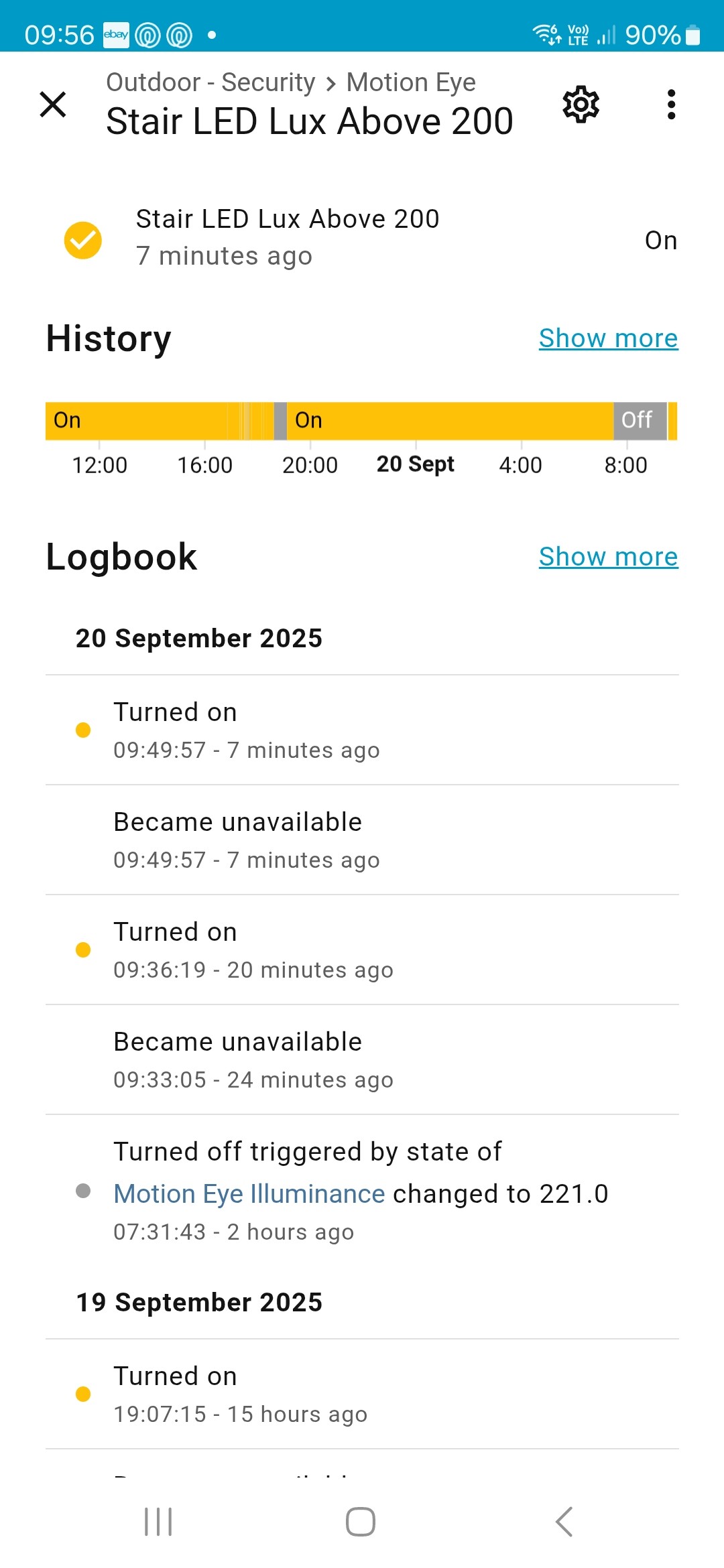
Secondly, I was expecting the lights to turn off at 9am this morning based on the binary sensor you wrote for me. But thay didnt seem to work.
Looking at the binary sensor history, it does not seem to be changing state on “weekday” and 9am
It can handle a lot of options and I am still developing it… currently working on it now.
In the code below, did you update the entity ID lock.your_yale_smart_door_lock with your actual lock and check the state of your lock in developer tools > states tab and then search for your lock. It must match exactly to locked case sensitive.
I did indeed update the entity of my actual lock. And it did work if operated inside the time set, but it didnt seem to pick it up if the lock was already “locked” outside of the time the night light was set. Like it was not requesting a status, or acting on it.
Doh!! haha, yes, I thought I had it set at 8am! I’ll check when I reach home
You will find that locked = OFF and unlocked = ON. I bet if you unlock it, it will then activate night lights. If so we will need the template sensor to invert it.
hmmmmm, I’m pretty sure when I tried it this morning, the night lights actiavated when I locked it (after unlocking). But maybe there was a delay and infact they activated during the unlocking.
Let me check when I reach home later
To invert it, do I just change the code to “unlocked” at the end?
If you used the code in a template sensor then locked is what we are after. If when you lock the door and the sensor goes ON and when you unlock it the sensor goes OFF then that is what we need.
You can lock it before the night light time and it will trigger on the time. When ever one triggers it will then check. Maybe the time was set to 8am?
Just to advance this even more!!
This might not be possible within the same blueprint. But how about adding another layer as possible.
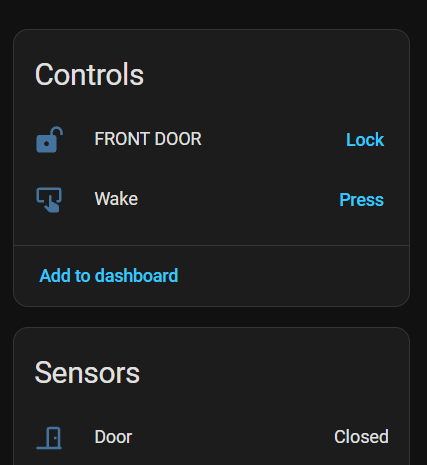
As you will see above, the lock has a magnetic sensor that detects if the door has been opened. What about now tell the system the IF during the night light times, the lock is “unlocked” AND the door magnetic sensor is “Open” THEN increase the stair lights from the 5% night light setting to 50% for 10 mins






 Dynamic Lighting Update
 button in the top post