Just note that the configuration syntax within HA’s configuration.yaml for SmartIR slightly differs between the two versions/devs. Furthermore if you have made your own codes or edited existing codes and you want to bring them over that the syntax also slightly differs. Best is do do some comparisons before going back into production.
1 Like
Threads Post Version or Version from litinoveweedle what is now the best one?
There is no such thing as “the best one”.
Check on the respective GitHub pages:
- smartHomeHub / SmartIR → Last commit: 3 months ago.
- litinoveweedle / SmartIR → This branch is 407 commits ahead of, 74 commits behind smartHomeHub/SmartIR:master, last commit: 4 month ago.
Also go to the issue reports of both versions and weigh up which one might suit your needs better.
So after few hours of installing the old main SmartIR, realizing this fork went out, and doing again, still doesnt work.
I use the ZS06.
my configuration:
climate:
  - platform: smartir
    name: Bedroom AC SmartIR
    unique_id: bedroom_ac_smartir
    device_code: 9344
    controller_data:
      controller_type: MQTT
      mqtt_topic: zigbee2mqtt/Bedroom IR Blaster/set
not using smartir: int the beginning, maybe wrong but I understood it is not longer required.
about the codes - I asked ChatGPT to convert the code for me to tuya. BUT - even when I try a manually working code that I learned, it doesnt works.
please help me, if logs are needed id love to have some help with getting those as well.
Welcome to the forum, Jody 
Maybe this thread can help you to solve the issues you encounter.
Don’t use ChatGPT, or similar tools […]. These tools often produce results that look good but are incomplete, misleading, or just plain wrong. (Source)
Thanks for the comment!
I’ve read it all my friend, that thread as well.
Now I’m facing new challenge - after reinstalling to the new fork, SmartIR can’t read my new custom file.
Is there someone who can help me with getting the 1344 codes converted to tuya?
Hello everyone,
I have captured the codes for my fan, but now I can’t find a way to use them in a working json file.
{ "version": 1, "minor_version": 1, "key": "broadlink_remote_e87072081543_codes", "data": { "fan": { "on/off": "JgBgAAABIJEREhISEhMSEhISERMSEhISEhMREhI3ETcRNxI2EjcRNhITEhMREhISERQREhITETcSNhI3ETYSNxI2ETYTNxESEgAFSwABH0kSAAwOAAEhSBMADA0AASBJEgANBQ==", "speed": "JgBYAAABIJEREhISERMSExISERMREhITEhMREhI3ETcRNxI2EjcRNhISEjcSNhESExMRExESEjcRNxETEhISNhI3ETYSOBESEgAFSgABIEkSAAwOAAEgSBIADQU=", "timer": "JgBYAAABIJESEhISERMRExISEhMREhITERMRExI3ETYROBI2ETcSNhISETcSExETERMSEhETEjcRNhISEjcSNhE3EjYSNxETEgAFSgABH0kSAAwPAAEgSRIADQU=", "horizontal": "JgBYAAABIJEREhISEhQREhISERMSEhITERMREhM2EjYRNxI2EzYRNhM3ERISEhITERMSEhETEjYRExI3ETYSOBE2ETcSNxESEwAFSgABIEgSAAwPAAEgSBIADQU=", "vertical": "JgBYAAABIJEREhISEhQREhISERMRFBETERMREhM2EjYRNxI2EjcRNhI4ERISNxETEhIRExETEjYSEhI3ERISOBE2ETcSNxESEgAFSwABIEgSAAwPAAEgSBIADQU=", "mode": "JgBQAAABIJEREhITERMSEhISERMSEhMSERMREhI4ETYRNxI3ETcRNxITERMRNhEUEhISEhETETcSNhI3ERMROBE2ETgSNhESEwAFSgABIEkSAA0F" }, }
The remote is actually pretty dumb, it just sends the same code every time you press the button and the fan alternates between the various level of speed/oscillation wideness/togglin on or off.
I’ve tries using the existing jsons for inspiration but it the results are always confusing
This is what I have now but changing the oscillation changes the speed somehow:
{ "manufacturer": "Argo", "supportedModels": [ "Genius" ], "supportedController": "Broadlink", "commandsEncoding": "Base64", "speed": [ "low", "medium", "high" ], "commands": { "off": "JgBgAAABIJEREhISEhMSEhISERMSEhISEhMREhI3ETcRNxI2EjcRNhITEhMREhISERQREhITETcSNhI3ETYSNxI2ETYTNxESEgAFSwABH0kSAAwOAAEhSBMADA0AASBJEgANBQ==", "default": { "low": "JgBYAAABIJEREhISERMSExISERMREhITEhMREhI3ETcRNxI2EjcRNhISEjcSNhESExMRExESEjcRNxETEhISNhI3ETYSOBESEgAFSgABIEkSAAwOAAEgSBIADQU=", "medium": "JgBYAAABIJEREhISERMSExISERMREhITEhMREhI3ETcRNxI2EjcRNhISEjcSNhESExMRExESEjcRNxETEhISNhI3ETYSOBESEgAFSgABIEkSAAwOAAEgSBIADQU=", "high": "JgBYAAABIJEREhISERMSExISERMREhITEhMREhI3ETcRNxI2EjcRNhISEjcSNhESExMRExESEjcRNxETEhISNhI3ETYSOBESEgAFSgABIEkSAAwOAAEgSBIADQU=" }, "oscillate": "JgBYAAABIJEREhISEhQREhISERMSEhITERMREhM2EjYRNxI2EzYRNhM3ERISEhITERMSEhETEjYRExI3ETYSOBE2ETcSNxESEwAFSgABIEgSAAwPAAEgSBIADQU=" } }
Welcome to the forum, thtwice
You might want to format your pasted code here to make is better readable for us:

Also please tell us about which SmartIR version you have installed (smartHomeHub or litinoveweedle) since the json codes between them slightly differ.
I am also trying to do the same- have you ever succeeded?
I am looking to do exactly the same - bridge the gap between a local tuya IR device and smart IR - have you ever succeeded?
Is there a way to send ‘multiple’ ‘turn off’ commands via the SmartIR integration? Some of our air conditioning units don’t work by pressing it just once.
Hi, this make sense, but are you saying the code needs to be fixed so it sends json.dumps(command) if using mqtt? Is this a bug?
Does it work for you? I also try to enable mqtt gree device. No progress yet.
Hi All
I’m currently working on an automation and script for smartening up my dumb A/C using smartIR. Currently the automation provides non-integrer temperature targets for the climate.set_temperature service. I’m curious how smartIR handles these. Does it round to the nearest integer or pass them straight through to the A/C?
Thanks
Hey all,
I’ve been trying to automate my AC using GitHub - litinoveweedle/SmartIR: ⏻ Control Home Assistant climate, fan, media_player and light devices via IR/RF controllers (Broadlink, Xiaomi, MQTT, LOOKin, ESPHome, ZHA).
I went over the instructions to setup my own custom code as my AC unit is not supported.
However I cannot find the right YAML to put in my configuration.yaml to declare the Climate entity:
climate:
  - platform: smartir
    name: Aermec Split P2 AC
    unique_id: aermec_split_p2_ac
    device_code: 9000
    ... what else goes here??? ....
Anyone can point me to the docs or copy-paste an example? thanks!
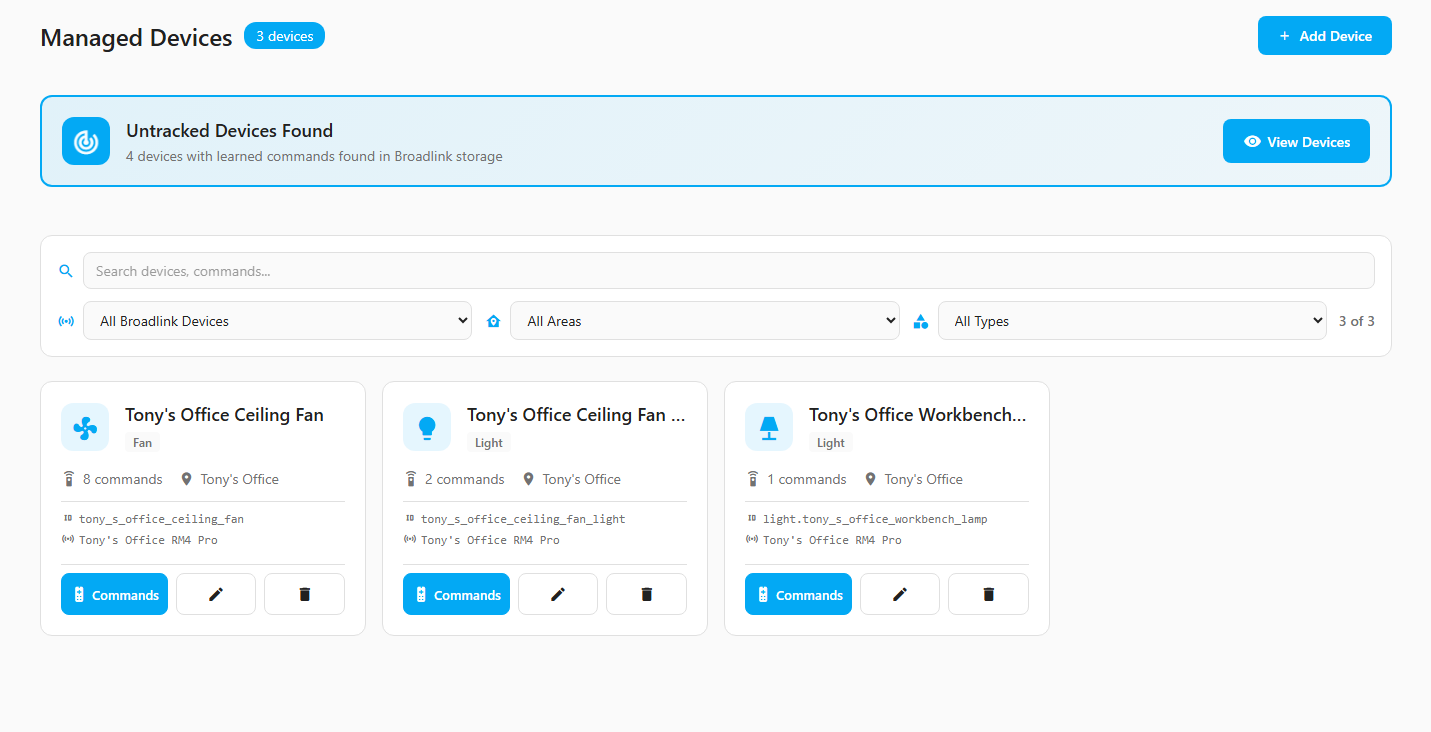
A little project I’m working on…
Still very much under development but the vision is an easy to use management UI for working with IR/RF remotes.
V2 GitHub - tonyperkins/homeassistant-broadlink-manager-v2: VUE Based Broadlink Manager
V1 GitHub - tonyperkins/homeassistant-broadlink-manager
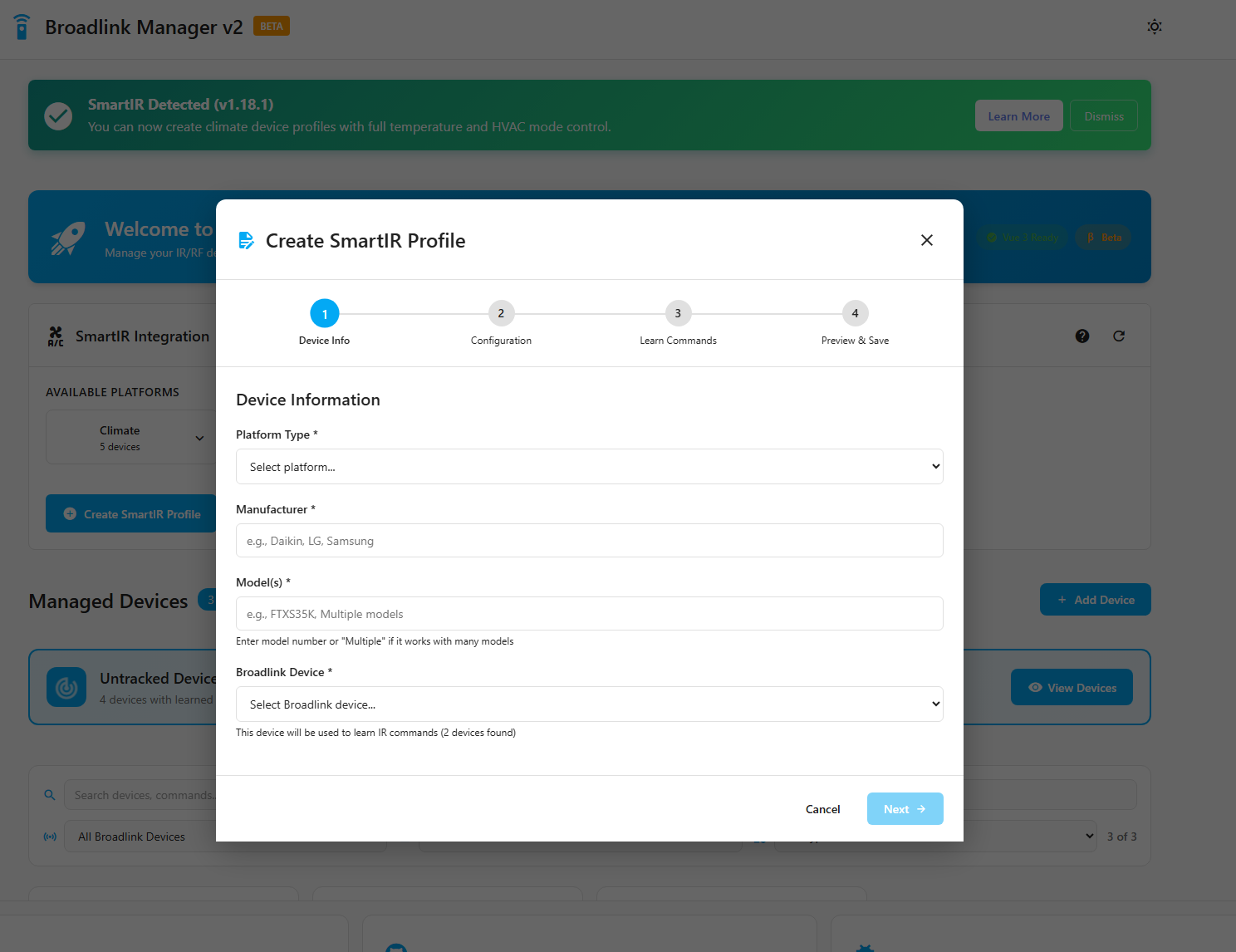
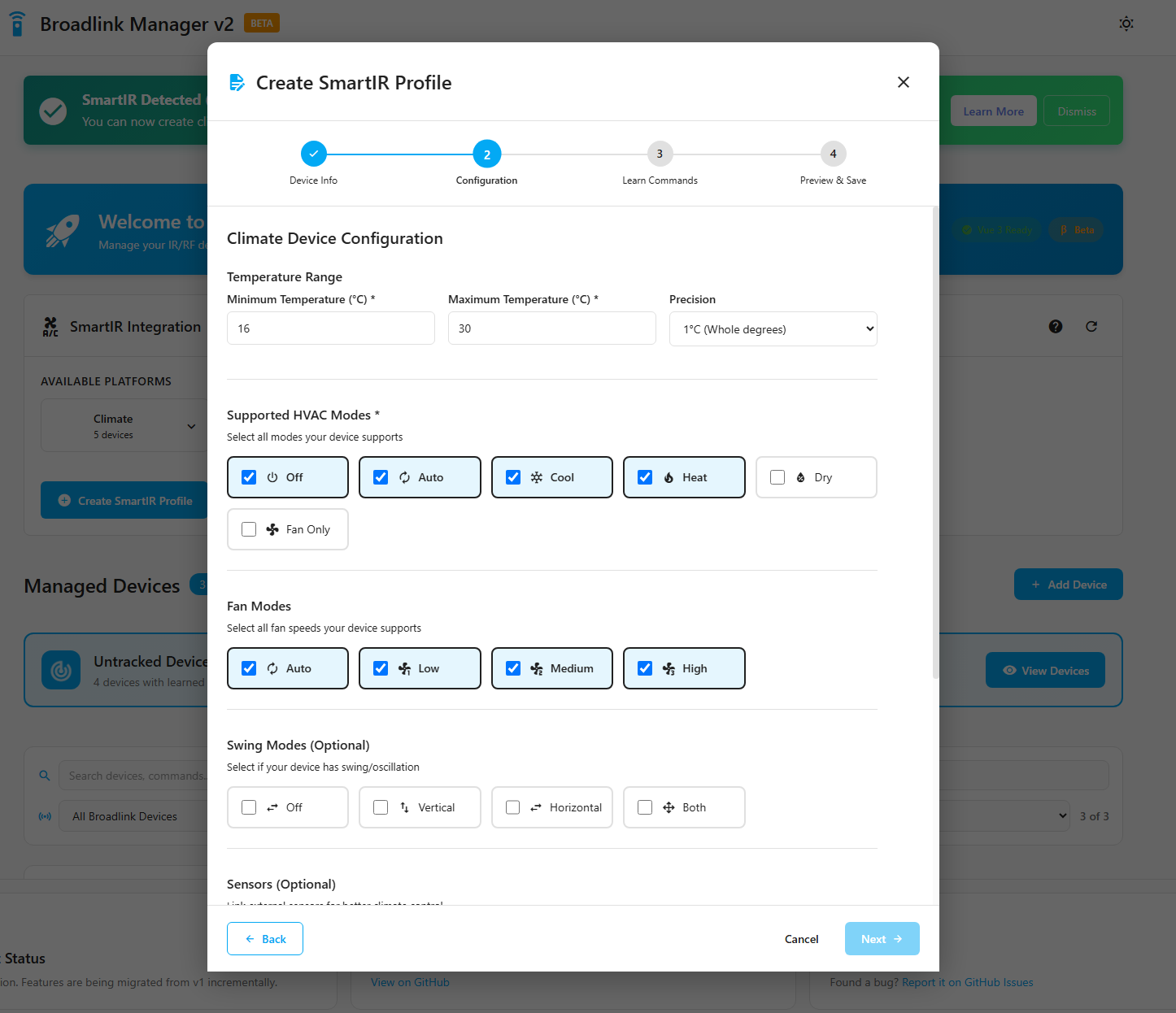
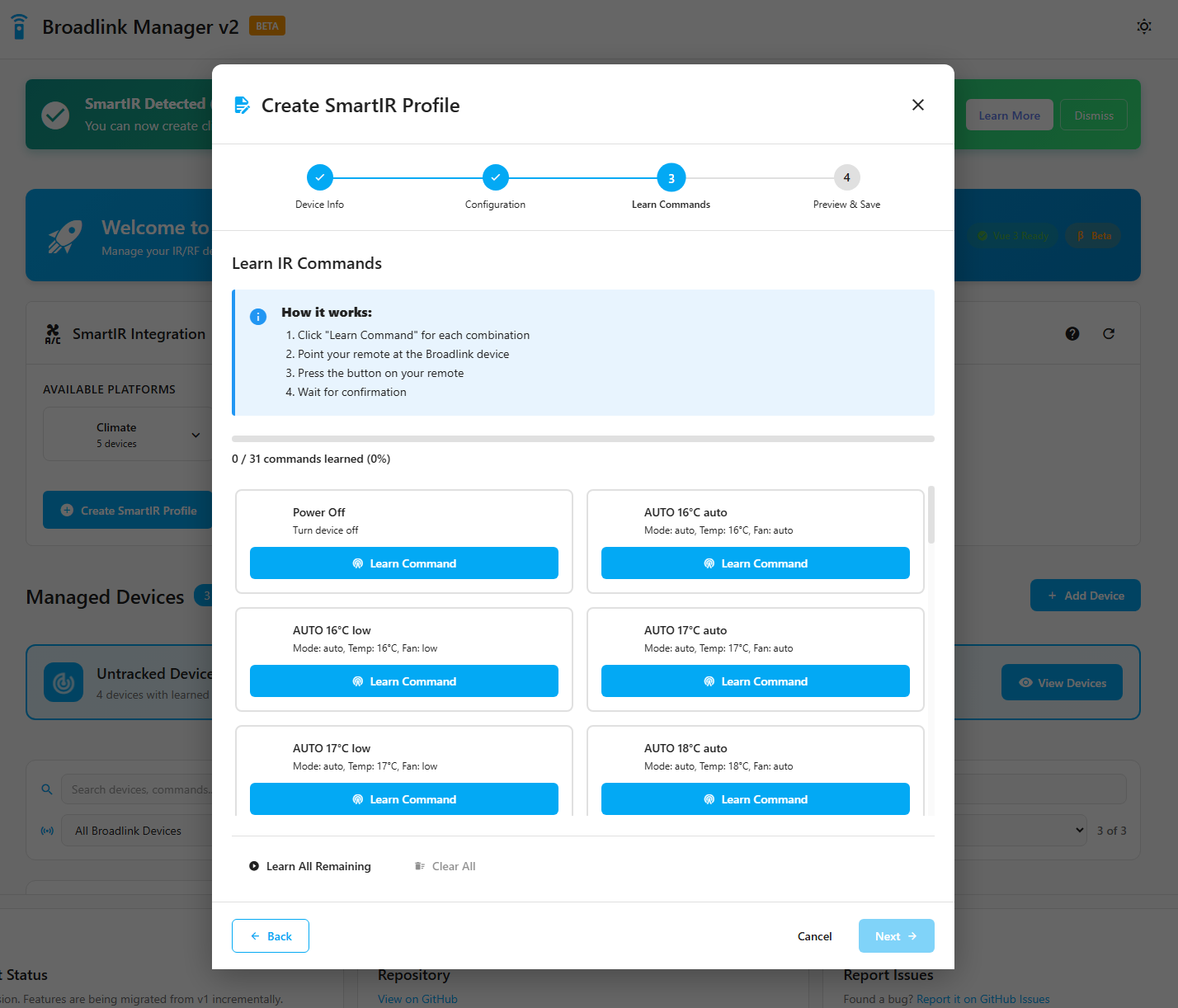

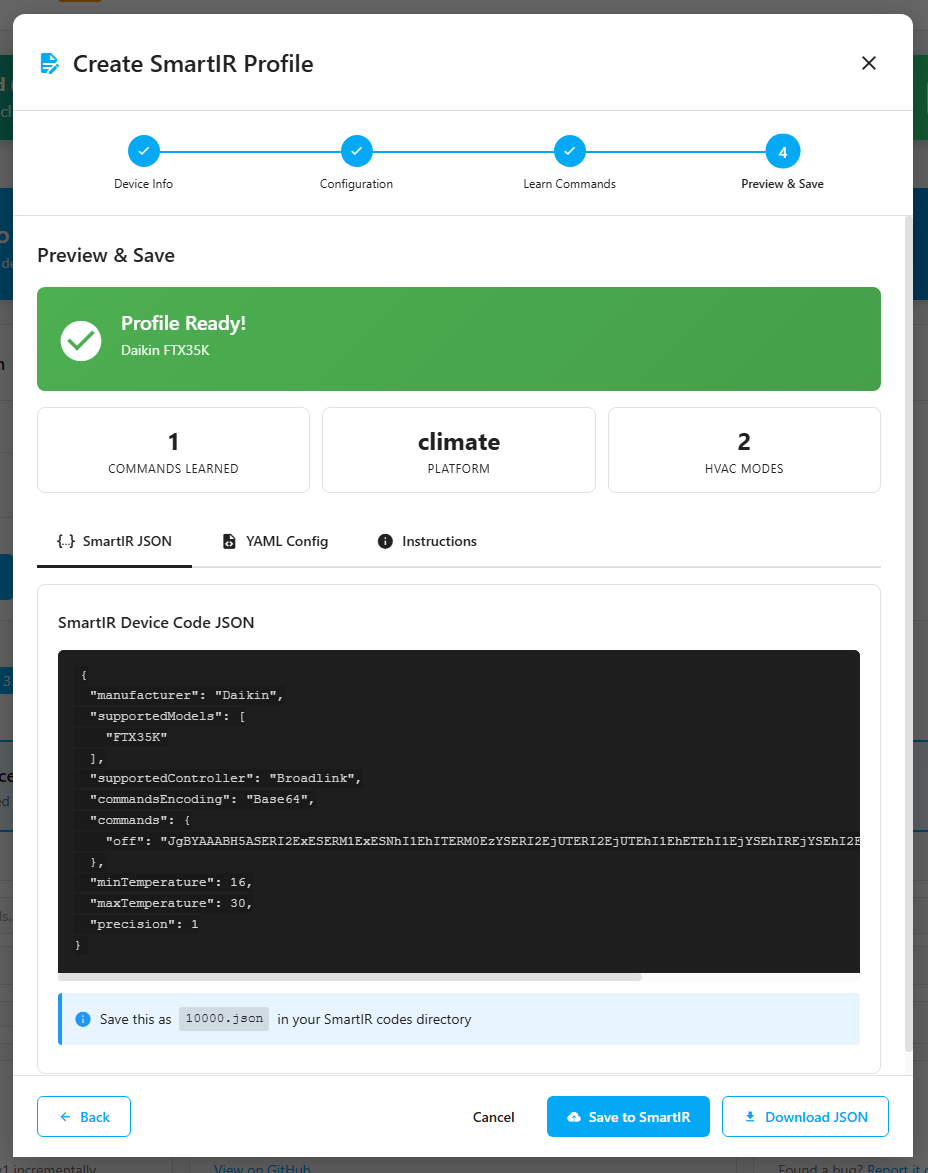
2 Likes
Not much more:
climate:
    - platform: smartir
      name: Aermec Split P2 AC
      unique_id: aermec_split_p2_ac
      device_code: 9000
      controller_data:
        controller_type: Broadlink
        remote_entity: <your-broadlink-blaster-entity>
        .......
where " ......." is for additional non mandatory directives like i.e:
        delay_secs: 0.5
        num_repeats: 1
      temperature_sensor: <your-temperature-sensor-entity>
      humidity_sensor: <your-humidity-sensor-entity>
      power_sensor: <your-power-sensor-entity>
Hope this helps.
1 Like
thank you @Tamsy . I know realized that this snippet of code was indeed in the docs. I think it would be really useful to put in the SmartIR main README the full sequence of steps that you need to do to use the component like e.g.
- Learn IR codes reading HomeAssistant documentation for your IR remote integration (E.g. Broadlink) [link to docs]
- Install SmartIR custom integration [link to install procedure]
- If needed: create your JSON file for your Climate/Fan/Light/MediaPlayer entity [more docs here]
- Edit your HomeAssistant configuration.yaml file adding an instance of your Climate/Fan/Light/MediaPlayer [doc link here]
- Restart HomeAssistant
- Navigate to the Settings->Devices&Services->Entity page to find out your new entity and test it works correctly
1 Like
Really nice tool, thanks!
Is this a sort of fork of the original Broadlink Manager at GitHub - t0mer/broadlinkmanager-docker: Broadlink Manager is a python based project that allows you to contorol your broadlink devices. Discover, Leran and send command in a very easy way ?
I will give it a try real soon, thanks!
I think having a tool that simplifies the SmartIR profile creation is just great. However honestly what’s killing me is that every time I do a change to the SmartIR profile (as experiment or to fix an issue) I need to restart HA. I opened a ticket about that (UI Config Flow · Issue #220 · litinoveweedle/SmartIR · GitHub) but my understanding is that this should be addressed within SmartIR project itself, not in e.g. the broadlinkmanager project
Ha, I didn’t know that tool exists. I’ll take a look to see if there is potential to integrate some of their work. My tool integrates with the broadlink integration in HA for learning/sending/deleting commands and with SmartIR to pull in pre built configurations. On top of this the tool auto generates the template and SmartIR entities in HA.
Yeah, the restart of HA is a pain sometimes. If I get some time I’ll look for options there.