Week Planner Card Plus and ICS Calendar Tools

@mariuskane are you using CalDav? if so you can ONLY add event. Local HA calendars) supports add, edit and delete. Google supports add and delete.

I will add a new option to add to card config to turn off/on all day event default with something like defaultAllDay: true|false (or allDayDefault: 'on'|'off') in a new release.

Let me play with recurrence event but may be related to you using caldav calendar as it is really a read only deal in HA

@mariuskane updated version 2.0.4 added:

defaultAllDay (boolean)

Default state of the All day toggle in the built-in Add/Edit dialog.

  • true = All day starts ON
  • false = All day starts OFF

Default: false

1 Like

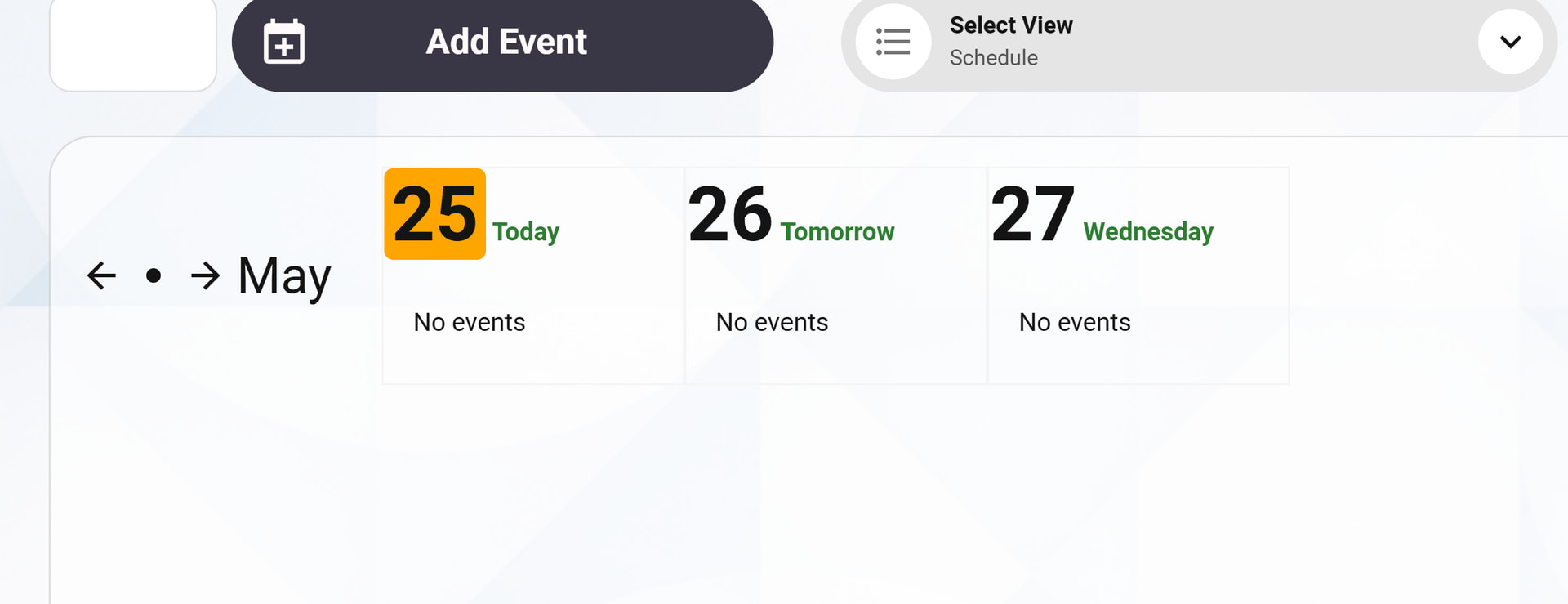
I love this, but I’m really struggling to get the weekly schedule view to show. I downloaded the newest version (2.0.4) from HACS and the repository was downloaded automatically. I installed card-mod from HACS. I added a new card to a new dashboard with the following code:
type: custom:week-planner-card-plus
viewMode: ${ VIEWMODE } # Needed for new scheduled view
tapEmptyDayToAdd: false
clickEmptyDayToAddPlus: true
calendars:
- entity: calendar.my_relevant_calendar

But the result is just a “normal” Week Planner Card view, not the “Skylight”/Schedule view.

I’m sure I’m missing a step or two somewhere and would be very grateful if someone could help me out!

You need to use this card as part of this dashboard: https://community.home-assistant.io/t/diy-family-calendar-skylight/844830/.

@redfyve42 did you also add view to the drop down in your family_calendar.yaml like this?

  # The View selector (Week, Month, etc)
  calendar_view:
    name: Calendar View
    options:
      - Today
      - Tomorrow
      - Schedule
      - Week
      - Biweek
      - Month
    initial: Week

this will then add it as option in view dropdown.

Yes this was brilliant. Thank you !

1 Like

It looks like this custom card stopped working with today’s release of Home Assistant 26.4.0.

Hmm… I have not upgraded yet but will test this and see. Thanks for reporting issue. Will reply back once I test. @Reflex i’m at work currently(real job) but did you also update your bubble card after updating to 26.4.0? I think that will probably fix issue?

With Home Assistant 26.4.1 it works again.

1 Like

HA 2026.5.2
ICS Calender Tool 2.0.0
Week Planner Card Plus 2.0.4
Local Calendar

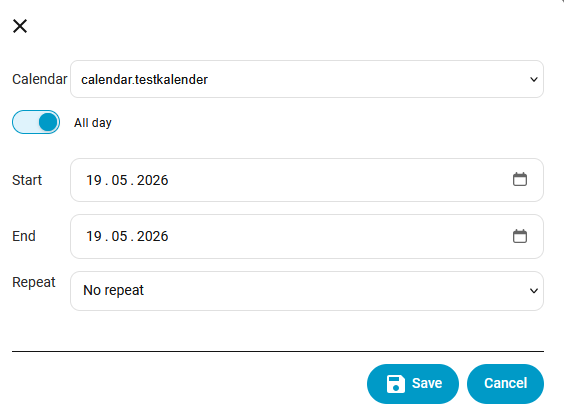
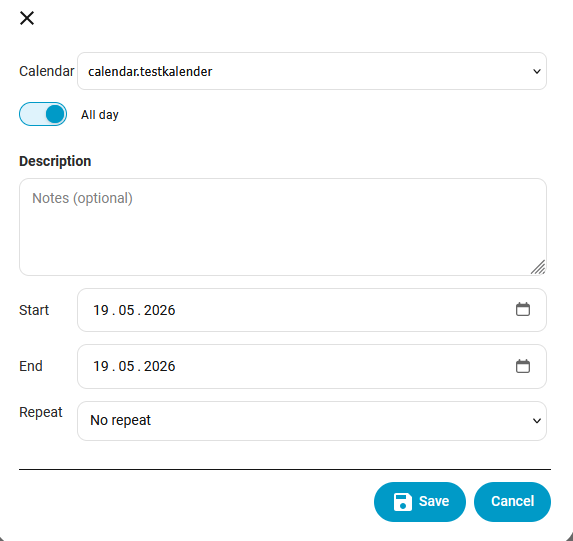
After clicking on event, I get an dialog window without summery information.

After click Edit the following dialog:

What am I doing wrong?

I will take a look, Maybe HA update broke something? Will report back when i get a chance to look(within 12 hours)

@SohnVonRobotron Try updating to version 2.0.9. let me know how that works for you.

Sorry, don't work. The dialog is a little bit different.

There is no field for title/summary.

@SohnVonRobotron v2.0.10 has Title and also Location back. strange why they no longer displayed but should be good now.

The dialog box seems to be correct now. I'll test everything thoroughly over the weekend.

1 Like

I've been struggling to get the schedule view to work. I've tried a few times, started over but I can't seem to get it working. I'm on 2.0.10 but the issue has been the same for several versions now. I seem stuck with the grid view no matter what I've tried. Right now regardless of the view I select none of my calendar entries show. Previously I had to update this to get them to show.

return 'monday'; // <--- UPDATE THIS IF NEEDED, valid values are: monday, tuesday, wednesday, thursday, friday, saturday, sunday

I'm not sure what's needed to help figure this out but I would appreciate if someone could help me out.

You edited proper files? Should work if you did. Perhaps you can try opening in browser with incognito enabled or clear cache on your browser. Also if you provide your yaml setup it may point to any issues. I few posts up explain what’s needed to get that view working.

I must have made things worse for myself, I found the issue. Along the way I changed viewmode and removed ${ VIEWMODE }.

Put that back and it's now working. Thanks for putting this together, the entire family loves checking the schedule. Now it's time to add some chore tracking :slight_smile:

1 Like

Thank you for this add-on! Just installed it and I really like it. I'm struggling to add the view switcher. Have looked at your Github page but can't figure it out. Would appreciate a bit of help.
Here the .yaml config from my dashboard.

views:
  - type: panel
    path: week-planner
    title: Week planner
    icon: mdi:calendar
    calendar_view: null
    name: Calendar View
    options:
      - Today
      - Tomorrow
      - Schedule
      - Week
      - Biweek
      - Month
    initial: Week
    cards:
      - type: custom:week-planner-card-plus
        calendars:
          - entity: calendar.family
            icon: mdi:calendar
          - {}
        days: 7
        startingDay: Monday
        startingDayOffset: 0
        showWeekDayText: true
        hideWeekend: false
        noCardBackground: false
        compact: false
        weather:
          showCondition: true
          showTemperature: true
          showLowTemperature: true
          roundTemperature: true
          useTwiceDaily: false
          entity: weather.forecast_home
        locale: en
        showLocation: true
        hidePastEvents: false
        hideDaysWithoutEvents: false
        hideTodayWithoutEvents: false
        combineSimilarEvents: false
        showLegend: false
        tapEmptyDayToAdd: false
        clickEmptyDayToAddPlus: true
        defaultAllDay: false
        showNavigation: true
        showDescription: true

sorry just noticed your question. did you get this sorted out?