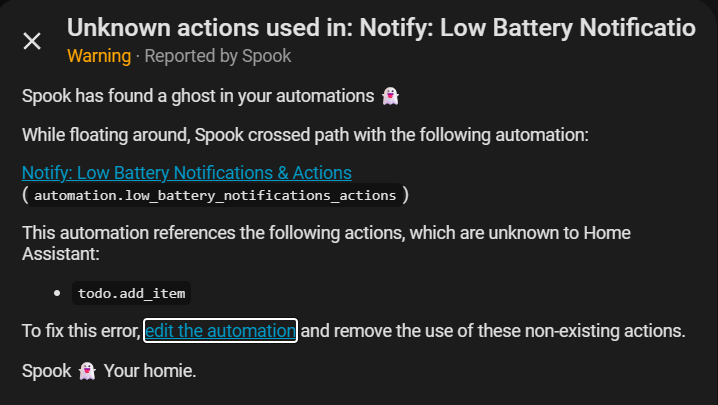
It is not broken you just need to know what to do.
Why are you using a Custom Group? Looks like you are including all of your batteries. Custom group is if you have a few to check or you would like a different % to monitor.
In your custom action you need to do it correctly and it will work. Look in the text were I got the “” and you may have to define your response don’t push the run action to test. I don’t use AI but you could try something like this.
    custom_actions:
      - if:
          - condition: template
            value_template: "{{ not sensors_names_custom_group == '' }}"
        then:
          - action: media_player.volume_mute
            metadata: {}
            target:
              entity_id: media_player.arc_ultra
            data:
              is_volume_muted: true
          - action: conversation.process
            metadata: {}
            data:
              text: >-
                "You seem to have low batteries, here they are
                {{sensors_names_custom_group}}"
            response_variable: response1
          - variables:
              ai_message: >-
                {{ response1.data if response1 is defined else
                'Batteries require attention, sir.' }}
          - action: assist_satellite.announce
            metadata: {}
            target:
              entity_id: assist_satellite.voice_pe_assist_satellite
            data:
              message: "{{ ai_message.response.speech.plain.speech}}"
              preannounce: false
      - if:
          - condition: template
            value_template: "{{ sensors_names_custom_group == '' }}"
        then:
          - action: media_player.volume_mute
            metadata: {}
            target:
              entity_id: media_player.arc_ultra
            data:
              is_volume_muted: true
          - action: conversation.process
            metadata: {}
            data:
              text: Im not seeing any low batteries, your all good to go
            response_variable: response2
          - action: assist_satellite.announce
            metadata: {}
            target:
              entity_id: assist_satellite.voice_pe_assist_satellite
            data:
              message: "{{ response2.response.speech.plain.speech}}"
              preannounce: false
I don’t use AI so you will need to know what your doing in your custom action.
“{{ ai_message.response.speech.plain.speech}}” was my fault in posting. i was messing with the code and forgot to post the updated. but i was using the correct response variable from the conversation process into the assist satellite action, should have checked that before posting.
i use custom group because i have a lot of zwave sensors and really theres only certain ones that need to be checked. that list isn’t all of my batteries, just the ones i want notified for. i currently have the automation working using standard tts. However i have spotted another problem.
If i send a tts and a phone notification, only the tts sends. if i disable custom actions, then the phone notification sends. it’s not sending both. Would it be better to just send the phone notification in the custom action as well?
The custom actions are the first thing that happens in the action. If there is something wrong with the custom action it will fail and the automation will stop so the rest of the actions (phone notification) will be stopped.
You shouldn’t have to and it easier to use the blueprint UI. I do have a idea were I will run the custom action in parallel with the rest of the actions. This should resolve your bug in your custom action.
Missed your reply! Yeah, the notify groups have to be right now. configuration.yaml
notify:
  - name: notify-person1-phone
    platform: group
    services:
      - service: mobile_app_person1_pixel_10
  - name: notify-person2-phone
    platform: group
    services:
      - service: mobile_app_person2_pixel_9
  - name: notify-person1-watch
    platform: group
    services:
      - service: mobile_app_person1_pixel_watch_3
And then each of those names is available as a notification option in automations. So I have a crap-tonne of automations to send notifications using them. Get a new phone or watch, and I just have to change the device in configuration.yaml rather than each automation.
It would be way cooler if this was made available in the gui instead of having to do this, but for now it’s not
Hi Blacky,
your blueprint works well for most of my devices.
But I have some (homematic sensors, thermostats) that report unavailable for most of the time. While usually their last reported battery status is just a few hours ago.
Due to this my notification is filled with “LOWBAT unavailable” for these sensors, although some hours ago they all reported being fine.
I don’t want to completely exclude them from notifications.
Would it be possible to report their latest status and only treat them as unavailable if it’s longer then 24 hours?
Hi Blacky!
I just added a new device that doesn’t report batterylevel in percent but battery state as low/medium/high, could this be added to the blueprint?
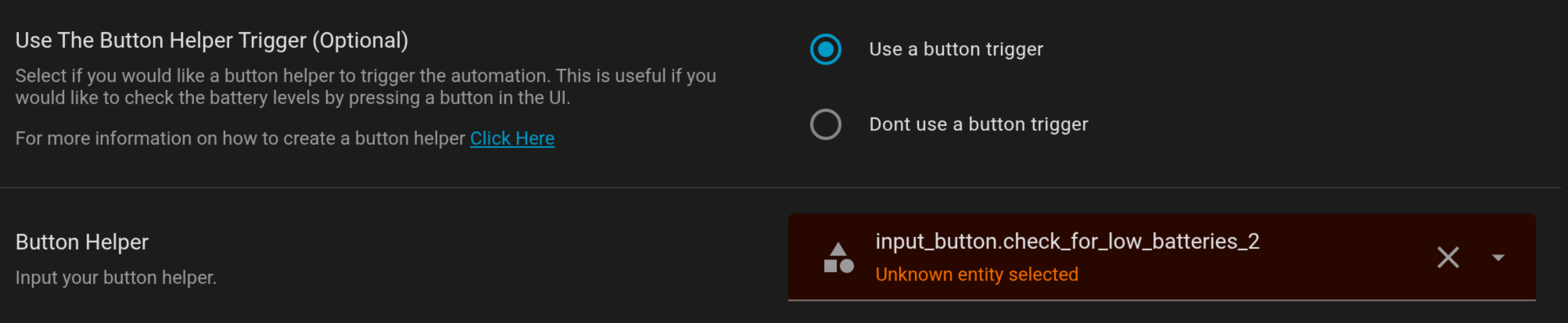
first time user and think the idea is great, but I can’t get past setting a helper. I added a button helper and it didn’t show here so I tried creating a new one from the dropdown you have for button helper and none work.
This is a great blueprint! Thank you so much! It’s somewhat surprising there isn’t already a built-in solution for that, but you did great work!
I’ve noticed the Dashboard helper isn’t quite that useful because the only thing I can see on the Dashboard is, essentially, the date & time of the last run (especially on the smartphone app).
I’m not sure this is that Helpful. Especially since we easily have access to the history of the helper, and can therefore easily know when it was last updated.
Can I suggest:
Adding a new blueprint input to remove the Date & Time from the input_helper (maybe for other forms of notifications as well? I’m not quite convinced about that yet…)
Making the “A-OK” message input multiple and cycle through the values when the report remains at “A-OK” (this will trigger a value change and an entry in the history, if people want to track each run).
If you’d like, I can fork and try to implement these changes myself. But I don’t think we can submit PRs against a gist…
Something must be wrong on your end. I can see all the batteries that are low and if all of them are okay I see the okay confirmation message. I also just tested it on the android app as I use iOS. Here is the FAQ on how to set it up, click here
@Blacky I meant the text_helper is set properly, I can see the whole report if I open it and go check its full value, but there is not enough “screen real estate” to read the text from the dashboard (which only display the first few characters).
So I can’t tell at a glance whether I have low batteries or not, because the dashboard always display the date and time only (essentially, maybe I have one or two characters left before the ellipsis, but that’s not really a visually distinctive UI).


 Maintenance
 button in the